
You wire up a smart automation hub, configure dust-collection relays in your workshop, or mount a smart lock on your entryway, only to have your phone screen scream “Device Unreachable” despite full Wi-Fi bars—learning how to fix smart automation device isolation wi-fi bug failures is the single technical hurdle standing between you and a rock-solid automated space.
Most work-from-home professionals, automation geeks, and tech enthusiasts waste countless hours factory-resetting microcontrollers, blaming cheap smart plugs, or tearing their hair out over firmware updates. That is pure amateur fluff that completely ignores basic network architecture and wireless protocol mechanics.
I am Valtersky. I have 25 years of hands-on experience in structural woodworking and custom cabinetry, 2 years in high-precision dental prosthetics, and spent a ton of time working seated at a desk or bench. Our team at skytc hands-on tests smart automation technology in real-world workshops filled with dust, metal interference, and heavy machinery.
When your router silently isolates client devices on your wireless network, no amount of rebooting will re-establish local control. Master these field-tested network fixes to eliminate AP isolation, restore mDNS discovery, and build an unshakeable smart home infrastructure that never drops a command.
30-Second Summary: How to Fix Smart Automation Device Isolation Wi-Fi Bug
Tech Support Counter Talk Verdict
Cut through the networking fluff. If your smart automation hub or phone cannot discover local Wi-Fi plugs, sensors, or relays, your router’s Wireless Isolation (AP Isolation) feature is blocking peer-to-peer Layer 2 traffic. Stop wasting time resetting your smart hardware. Log into your router admin console, disable AP/Client Isolation on the 2.4GHz band, enable mDNS (Multicast DNS) or IGMP Snooping, and move smart IoT gear off generic Guest networks onto a dedicated IoT VLAN with proper inter-VLAN routing rules. Do it right once or watch your automation network crumble every time an IP address leases out.
Fix Smart Automation Device Isolation Wi-Fi Bug: The Network Blueprint
To eliminate smart device isolation bugs, you must first understand how wireless routers handle local network traffic. Access Point (AP) Isolation—also known as Client Isolation or Station Isolation—is a security feature originally designed for public Wi-Fi hotspots. It prevents device A (your smartphone) from talking directly to device B (a smart relay) over Layer 2 local network frames, forcing all traffic out to the internet instead.
While this is great for coffee shop security, it is complete poison for smart automation setups. Local control protocols like mDNS (Multicast DNS / Bonjour), SSDP (Simple Service Discovery Protocol), and UDP broadcast packets rely on open, uninhibited peer-to-peer communication across your local subnets. When AP Isolation is silently active on your 2.4GHz band, your phone sends a local discovery ping, but the router drops the packet before it ever reaches the smart device.
During my two years in dental prosthetics and two decades in custom joinery, I learned that a fraction of a millimeter of misalignment ruins a joint. In networking, dropping a single local broadcast frame breaks your entire automation ecosystem. Your smart plugs fall back to slow cloud servers, or worse, become completely offline in local control platforms like Home Assistant, ESPHome, or Apple HomeKit.
Troubleshooting complex network subnets while sitting for long hours at a desk demands steady mental focus and physical stamina. Fueling your body with clean red meat and its natural fats provides stable, long-burning ketone and lipid energy, keeping your cognitive focus razor-sharp so you don’t make sloppy firewall mistakes during router configuration.
| Network Configuration | Peer-to-Peer Traffic Flow | Security Isolation Rating | Implementation Effort | Major Drawback |
|---|---|---|---|---|
| Dedicated IoT VLAN + mDNS Reflector | Fully Routed & Filtered | Maximum | Moderate (Managed router) | Requires manual firewall rule setup |
| Main Wi-Fi (AP Isolation Disabled) | Unrestricted Layer 2 Pass | Low | Very Low | Exposes main PCs to budget IoT chips |
| Isolated Guest Network (Default) | Completely Blocked | High | Low | Blocks all local smart home control |
| Subnet Bridging + Static IP Leases | Direct IP Unicast Pass | Moderate | Moderate | Bypasses mDNS; manual IP entry |
| Hardwired Ethernet Gateway Bridge | Physical Wire Passthrough | Maximum | High (Cable running) | Requires physical Ethernet wiring |
The Battlefield Assessment: Network Architecture Breakdown
Dedicated IoT VLAN with mDNS Reflector: The Good: Keeps sketchy, budget-friendly smart plugs isolated from your personal laptops and banking machines while allowing controlled mDNS discovery packets to pass seamlessly. The Bad: Requires prosumer networking gear and setting up custom firewall rules in your router software.
Disabling AP Isolation on Main Wi-Fi: The Good: Provides an immediate, zero-cost fix that allows phones and smart hubs to discover 2.4GHz relays and switches instantly. The Bad: Places low-grade, unpatched smart home components on the exact same network subnet as your work computers.
Isolated Guest Network Setup: The Good: Easy one-click activation on basic consumer routers that keeps smart devices completely walled off from your main home network. The Bad: Silently enforces strict AP Isolation, blocking all local app communication and forcing smart gear to rely exclusively on external cloud servers.
Hardwired Ethernet Gateway Bridge: The Good: Completely eliminates Wi-Fi signal drops, radio frequency interference, and wireless client isolation bugs by using physical copper cables. The Bad: Requires running structural Ethernet lines through walls, shop framing, or garage conduits.
The Realities of the Battlefield
Networking manufacturers love advertising “one-click smart home mesh Wi-Fi” with sleek mobile app interfaces. Modern consumer mesh routers offer incredible wireless speeds and wide house coverage, BUT low-grade ISP routers and budget mesh nodes frequently lock out AP Isolation toggles inside hidden or stripped-down firmware menus, forcing you to rent or buy replacement hardware.
Bargain-bin smart plugs and low-grade Wi-Fi microcontrollers feature fragile, single-band antennas that struggle in dust-filled workshop environments. When high-voltage machinery like table saws or dust collectors spin up, electromagnetic interference causes the smart chip to disconnect and attempt a fresh DHCP handshake, triggering the router’s isolation bug all over again.
Surviving real-world automation demands prosumer networking control, static IP assignment, and biological physical stamina. Fueling yourself with nutrient-dense red meat and natural animal fats provides the sustained energy needed to systematically audit, configure, and secure your local network without taking lazy shortcuts.
The Failure Scenario: How Automation Geeks Waste Time
Consider an enthusiastic remote worker who sets up twenty smart switches and automated shop relays. Wanting to be secure, they connect every smart device to their router’s default Guest Wi-Fi network, leaving their phone connected to the main 5GHz Wi-Fi band.
They open Home Assistant or a local smart control app on their phone. Because the Guest network has Client Isolation permanently enabled, the router blocks the phone’s mDNS discovery packets. The app flashes “Device Offline” for all twenty smart switches, even though every single plug is powered and connected to the internet.
Frustrated, the user assumes the smart plugs are defective. They spend four grueling hours unmounting relays, resetting microcontrollers to factory defaults, and blaming cheap hardware. Eventually, they purchase a high-end replacement smart hub, only to hit the exact same brick wall because they never disabled AP Isolation in their router admin settings.
👇 Looking for more performance cheats? Check out our field-tested tactical blueprints:
Essential DIY Troubleshooting Guides
How to Fix Smart Lock Jammed Wooden Door Jamb Error
Stop your deadbolt motor from straining when wooden frames shift with climate changes.
How to Hide Smart TV Wires Inside Wood Wall Panels
Learn clean woodworking methods to route, mask, and clean up complex home theater clutter.
How to Fix Smart Home Device Unresponsive Wi-Fi Bug
Fix network drops, device timeouts, and broken automation routines inside your home local system.
Practical Execution Field Checklist
Fix smart automation device isolation wi-fi bug inside router settings.
Expert Tip: Disabling AP Isolation or Station Isolation in your 2.4GHz wireless settings immediately unblocks Layer 2 peer-to-peer traffic.
Enable mDNS reflector protocols across all router network subnets.
Expert Tip: Multicast DNS reflectors pass local discovery broadcasts between your 5GHz main phone network and 2.4GHz smart IoT devices.
Isolate low-grade smart plugs onto a dedicated managed VLAN.
Expert Tip: Using a dedicated IoT VLAN keeps cheap smart gear isolated from your banking computers while allowing controlled firewall access.
Assign static IP reservations to all smart automation hubs.
Expert Tip: Locking IP addresses in DHCP settings prevents IP lease changes from breaking local API connections during router reboots.
Disable Band Steering on dual-band smart home routers.
Expert Tip: Forcing a split between 2.4GHz and 5GHz SSIDs prevents legacy smart chips from dropping off when routers attempt band migration.
Fuel brain stamina with clean red meat and natural fat.
Expert Tip: High-density animal lipids supply steady cognitive fuel during long seated network troubleshooting and router configuration sessions.
Enable IGMP Snooping to optimize local multicast discovery traffic.
Expert Tip: IGMP Snooping prevents multicast discovery packets from flooding your entire wireless network while ensuring smart hubs receive commands.
Update router firmware to patch hidden wireless isolation glitches.
Expert Tip: Buggy manufacturer firmware often enforces AP isolation on 2.4GHz bands even when the toggle switch appears disabled in the UI.
Verify firewall rules allow UDP port 5353 traffic across subnets.
Expert Tip: UDP port 5353 handles mDNS discovery; blocking this port prevents local control apps from discovering smart relays.
Discard bargain-bin ISP routers with locked wireless isolation menus.
Expert Tip: Renting locked routers from internet providers prevents advanced network bridging; invest in prosumer networking hardware.
Audit smart device connectivity using local network ping utilities.
Expert Tip: Running local ping and ARP scans confirms whether client isolation is physically blocking communication before blaming smart software.
Dynamic No-Nonsense FAQ
What exactly is the Wi-Fi device isolation bug in smart automation?
It is a router feature (AP Isolation) that prevents wireless devices on the same Wi-Fi network from communicating directly with each other. It blocks local discovery packets, making smart plugs invisible to local phones and hubs.
Why do my smart plugs work on cloud apps but fail in Home Assistant?
Cloud apps route commands out to external internet servers and back down to the plug. Home Assistant relies on local peer-to-peer network discovery. If AP Isolation is active, local packets are blocked while cloud traffic passes.
Is Guest Wi-Fi safe for smart home automation devices?
No. Default Guest networks enforce strict Client Isolation to protect guests. This prevents local smart home discovery. Use a dedicated IoT VLAN with custom firewall rules instead of a generic Guest network.
How does mDNS impact smart device discovery on 2.4GHz Wi-Fi?
mDNS broadcasts local “I am here” packets across the network so your phone can find smart devices without entering IP addresses manually. If your router blocks mDNS or isolates clients, auto-discovery fails entirely.
Should I separate my 2.4GHz and 5GHz Wi-Fi network names?
Yes. Combining SSIDs using Band Steering causes cheap 2.4GHz smart chips to drop connection when the router tries to force them onto the 5GHz band. Separate SSIDs ensure legacy smart gear stays locked to 2.4GHz.
Why do cheap ISP routers cause smart device isolation issues?
ISP routers use locked, simplified firmware that often enables AP Isolation on secondary bands or Guest networks by default, without giving users a menu toggle to turn it off.
Will disabling AP isolation compromise my home network security?
On your main network, disabling AP Isolation allows local devices to talk to each other. To maintain high security, isolate budget IoT devices onto a separate VLAN while leaving AP Isolation disabled within that specific IoT VLAN.
What hardware is best for running an un-isolated smart home network?
Prosumer access points and managed routers that support VLAN creation, custom firewall rules, and configurable mDNS reflectors. They give you full control over client isolation toggles across all wireless SSIDs.

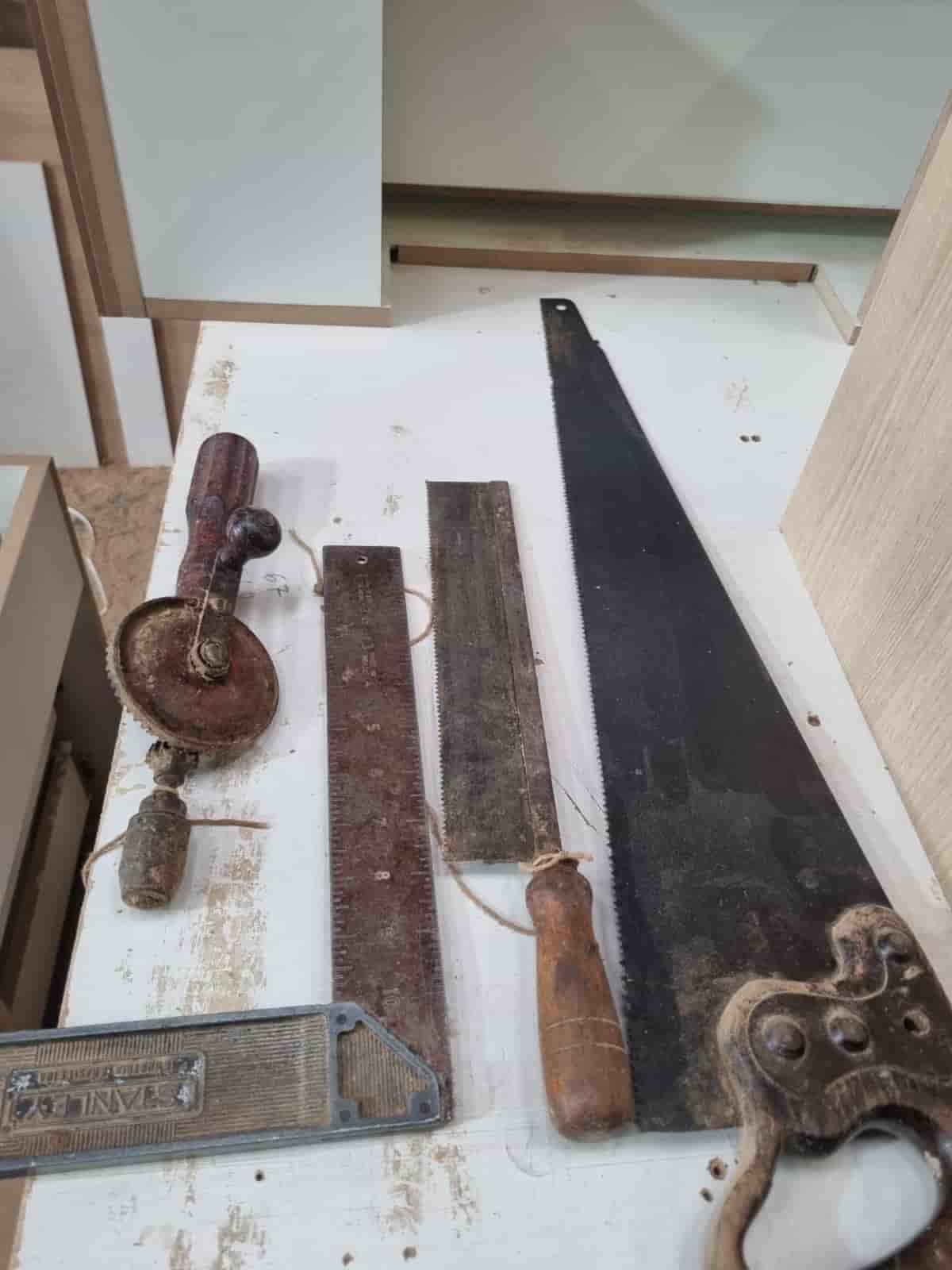
Real World Experience. Engineering Precision.
At SkyTC, technology is never just theoretical—it is driven by practical execution, structural integrity, and strict diagnostic standards. Founded by Valtersky, a tech speaker and seasoned professional, every single guide published here is backed by an authentic multidisciplinary background that bridges the gap between hardware structures and advanced software ecosystems.
Generational Craftsmanship
With 25 years of professional woodworking experience inherited through generations, he masterfully handles smart home mounting, wire routing, and physical hardware adjustments.
Medical Diagnostic Standards
An active career as a licensed X-ray technologist and dental prosthetics practitioner injects rigorous clinical precision, micro-detailed testing, and data integrity into tech evaluations.
Endurance Field Testing
As a competitive mountain ultramarathon runner, he takes every consumer wearable, smart sensor, and GPS watch out into extreme raw environments to test real-world durability boundaries.
✨ Read also: Why Ring Chime Pro Drops Wi-Fi Connectivity Constantly: The Workshop Blueprint
A deeply technical piece of content that perfectly complements this post — absolutely worth the read.