
Staring down a microscopic circuit board trace or staring at code for fourteen hours straight will make your eyes feel like they are coated in sandpaper. If you are searching for top affordable desk lamps with eye protection features, you need to understand one fundamental hardware truth: most cheap office lights are retina-scorching micro-strobe hazards disguised as sleek desk decor.
As a veteran laptop systems architect and micro-soldering engineer, I have spent decades under bench lamps repairing fried motherboard power rails. We have a dedicated support team and a laptop hardware specialist who test everything under oscilloscope scrutiny, and I can tell you that generic retail lighting specs lie through their teeth about optical safety.
Fixing your workspace illumination requires stripping away marketing buzzwords and focusing on raw optical physics. By upgrading to flicker-free DC drivers, high color rendering indexes, and asymmetric light paths, you eliminate late-night migraines, prevent premature eye fatigue, and protect your vision across decades of intensive technical work.
30-Second Summary: Top Affordable Desk Lamps With Eye Protection Features
Most cheap desk lamps rely on aggressive low-frequency pulse-width modulation (PWM) that rapidly turns the LED chip on and off, causing silent micro-strobe flicker that fatigues your optical nerve. If you want real eye protection without overpaying, look for flicker-free constant-current DC dimming, a Color Rendering Index (CRI) of 95 or higher, RG0 zero-blue-light hazard certification, and asymmetric optical reflectors that throw light across your desk rather than bouncing glare straight off your monitor into your pupils. Skip the bargain-bin plastic junk with capacitive touch buttons that melt under warm room temps. End of story.
Battlefield Specs: Desk Lamp Optical Architectures Compared
Evaluating bench and office lighting architectures across driver stability, optical control, and long-term hardware durability.
| Lighting Architecture | Dimming Technology | Color Rendering Index (CRI) | Flicker / PWM Frequency | Primary Failure Point |
|---|---|---|---|---|
| Constant-Current DC LED Bars | True Analog DC Circuitry | CRI 95+ (R9 > 80) | Zero Flicker (DC Current) | Thermal heat sink degradation |
| Asymmetric Monitor Light Bars | Filtered Pulse / DC Hybrid | CRI 90 – 95 | High Frequency / Flicker-Free | USB power delivery port wear |
| High-Frequency PWM Task Lamps | Multi-kHz PWM Driver | CRI 80 – 90 | High Frequency (>20kHz) | Capacitive touch switch failure |
| Bargain AC-Driven Utility Lamps | Direct AC / Low PWM | CRI < 75 (Color shift) | Severe Low-Freq Flicker (120Hz) | Driver capacitor blowout |
Evaluating Workspace Illumination: Battlefield Assessments
Every lighting design involves distinct physical trade-offs. Buying an unvetted lamp without evaluating its internal power regulation leaves your eyes exposed to invisible high-frequency strobe hazards.
1. Constant-Current DC Articulated Arm Lamps
Heavy-duty bench lamps utilizing analog direct-current regulation to power dense arrays of high-CRI surface-mount LED chips.
The Good: Zero optical pulse flicker, outstanding color accuracy for fine soldering work, and rock-solid positional stability.
The Bad: Bulky cast-aluminum arm joints take up real estate, and heavy transformer bricks generate mild ambient heat.
2. Asymmetric Screen-Mounted Light Bars
Compact lighting bars designed to clip directly onto computer monitors, directing light downward onto your keyboard deck.
The Good: Eliminates display screen glare completely, occupies zero desktop surface footprint, and runs off standard USB bus power.
The Bad: Limited coverage area for wide workbenches, and cheap mounting clamps can scratch curved monitor bezels.
3. Low-Cost AC-Driven Household Lamps
Generic plastic gooseneck lamps sold in grocery aisles, relying on basic step-down AC power supplies.
The Good: Extremely cheap up-front cost and widely available in every retail outlet.
The Bad: Violent low-frequency flicker, harsh blue spectral peaks that disrupt sleep, and cheap plastic arms that sag within months.
Engineering Criteria: Top Affordable Desk Lamps With Eye Protection Features
To pick a lamp that actually protects your retinas, you must understand the underlying electrical engineering of LED drivers. LED chips are non-linear components that emit light based on current flow. How a manufacturer controls that current determines whether the lamp protects your eyes or cooks them.
The biggest villain in modern lighting is cheap Pulse-Width Modulation (PWM). To lower brightness, bargain-bin drivers rapidly switch the LED chip completely on and off hundreds of times per second. Even if your brain cannot consciously see the flashing, your iris sphincter muscle rapidly contracts and dilates to compensate, causing severe eye strain and tension headaches.
You need a lamp featuring true constant-current DC dimming. In a DC driver system, the circuit smoothly reduces the continuous amperage supplied to the LED chips, maintaining a perfectly steady, unbroken beam of light at any dimming level without a single micro-strobe pulse.
Color Rendering Index (CRI) is your second critical metric. Cheap LEDs emit a sharp, narrow spike of blue light around 450 nanometers while completely suppressing warm red frequencies (R9 values). Look for lamps with a CRI rating of 95 or higher and an R9 rating above 80, ensuring natural color fidelity that reduces visual processing strain during detailed tasks.
The Realities of the Battlefield
Marketing departments love putting “Eye-Care Professional” stickers on cheap plastic desk lamps, but opening up the chassis reveals a completely different story. Cheap internal components fail quickly when subjected to real-world bench conditions.
High-end architectural desk lamps offer beautiful optical diffusion and smooth counterbalanced movement. BUT, if the manufacturer cheaped out on internal heat sinking, the dense LED arrays will overheat inside the aluminum casing. Heat causes LED phosphors to degrade rapidly, causing the light output to shift from a crisp warm tone to a nauseating sickly-green hue over time.
Furthermore, cheap capacitive touch controls located on the lamp base frequently fail after exposure to mild electrical noise or warm room ambient temperatures. You touch the panel to dim the light, and nothing happens—or worse, the driver locks up and starts cycling rapidly through brightness modes like a strobe light.
Hypothetical Failure Scenario: The 120Hz Strobe Trap
Consider the case of Alex, a full-stack developer who spent long nights coding in a dark home office. Wanting to save money, he picked up a bargain-bin desk lamp with a flexible gooseneck arm and touch controls from a local department store.
The lamp seemed bright enough at first glance, but its internal driver relied on aggressive low-frequency 120Hz PWM dimming. When Alex dimmed the lamp to thirty percent brightness for late-night work, the light began strobing rapidly at a frequency invisible to the naked eye but brutal on the human optical system.
Within three weeks, Alex developed chronic eye fatigue, unexplained dry-eye syndrome, and severe tension migraines that destroyed his productivity. He assumed he needed new glasses. Had he used a flicker-free DC-dimmed lamp with high CRI ratings, his optical system would have remained completely relaxed throughout those late-night coding sessions.
👇 Looking for more performance cheats? Check out our field-tested tactical blueprints:
Guides for Your Next Workspace
Professional Laptops
The definitive blueprint to selecting high-performance, enterprise-grade workstations engineered to scale your productivity.
Budget Tech Tools
Practical strategies and low-cost digital tools engineered to maximize office performance without breaking your budget.
Power User Gadgets
Advanced hardware, desk automation tools, and elite tech ecosystems built to completely eliminate workflow bottlenecks.
Practical Execution Checklist
- Inspect top affordable desk lamps with eye protection features.
Expert Tip: Verify that the manufacturer explicitly guarantees constant-current DC dimming rather than low-frequency PWM drivers. - Demand a minimum Color Rendering Index (CRI) rating of 95.
Expert Tip: High CRI values prevent color distortion and reduce the visual effort needed to distinguish micro-details on work surfaces. - Check for RG0 zero-blue-light hazard safety certifications.
Expert Tip: RG0 rating guarantees that the LED blue spectral peak has been filtered out to protect retinal health during late-night use. - Select lamps featuring asymmetric optical reflection geometry.
Expert Tip: Asymmetric optics project light at an angle across your desk deck, preventing direct bounce-back glare off glass monitor screens. - Avoid flimsy gooseneck arms made of unreinforced rubber.
Expert Tip: Flexible rubber sleeves wear out quickly and drop position; choose counterbalanced metal spring-loaded joints. - Test power supplies for electrical coil whine and noise.
Expert Tip: Cheap wall-wart transformers introduce high-frequency audible hum into sensitive desktop microphones and audio interfaces. - Ensure the lamp casing includes integrated aluminum heat sinks.
Expert Tip: Proper thermal dissipation prevents LED phosphor decay and keeps color temperature stable over years of operation. - Opt for physical rotary knobs over capacitive touch buttons.
Expert Tip: Mechanical switches outlast capacitive touch sensors that fail under static charge or warm ambient heat. - Position task lighting perpendicular to your dominant hand path.
Expert Tip: Side-angle illumination prevents your hand and tools from casting harsh working shadows over your direct focal area. - Set ambient light levels to match your display brightness.
Expert Tip: Operating a bright monitor inside a pitch-black room forces extreme pupil dilation changes that trigger severe eye strain. - Purge any desk light exhibiting visible phone-camera flicker.
Expert Tip: Point your smartphone camera at the lamp beam; if rolling dark bands appear on screen, the lamp is strobing your retinas.
Dynamic No-Nonsense FAQ
Can a cheap desk lamp really damage my eyes?
Yes. Low-cost lamps with harsh low-frequency PWM flicker and unfiltered blue-light spikes cause real physical strain. Your iris muscles constantly fatigue trying to compensate for the micro-strobe effect, leading to chronic dry eyes, tension headaches, and severe visual exhaustion.
What is the difference between PWM dimming and DC dimming?
PWM dimming rapidly turns the LED chip completely on and off to simulate lower brightness, creating a high-speed strobe effect. DC dimming smoothly lowers the actual electrical current going to the chip, maintaining a continuous, flicker-free beam of light at any brightness setting.
Are monitor light bars better than traditional desk lamps?
For screen-focused desk work, yes. Monitor light bars clip onto your display and use asymmetric optics to throw light strictly down onto your keyboard desk deck without bouncing glare off the screen into your eyes. For broad bench soldering or drawing, traditional articulated arm lamps cover more area.
Why does Color Rendering Index (CRI) matter for eye protection?
Low CRI lights suppress natural red and warm tones, forcing your brain and eyes to work harder to interpret color contrasts and fine textures. High CRI (95+) lighting renders colors naturally, significantly reducing visual processing fatigue.
Does warm light protect your eyes better than cool daylight?
During late-night sessions, yes. Cool daylight (5000K-6500K) contains high blue-light energy that suppresses melatonin production and strain eyes in dark rooms. Warm light settings (2700K-3000K) reduce blue-light output, relaxing your eyes for evening work.
How can I tell if a lamp flickers without expensive lab gear?
Use the simple smartphone test. Turn your lamp on, open your phone’s camera app, set video recording to slow-motion mode, and point it directly at the lit surface. If you see dark rolling bands or flashing on your screen, the lamp has aggressive flicker.
Are RGB decorative desk lights good for task lighting?
No. Absolute junk for task work. Decorative RGB LEDs have poor CRI ratings, terrible blue-light spires, and non-existent optical control. Use RGB strictly for background ambient glow, never as your primary focal task light.
Is it worth spending more for a commercial-grade bench lamp?
If you spend more than four hours a day at a desk, absolutely. A commercial-grade metal lamp with DC dimming, CRI 95+ LEDs, and proper heat sinking will outlast ten cheap plastic lamps while preserving your vision over a lifetime of work.
Why Trust SKYTC Curated Gear?
At SKYTC, we simplify technology for you. We aren’t just another deals site; we are hardware experts obsessively focused on elite performance.
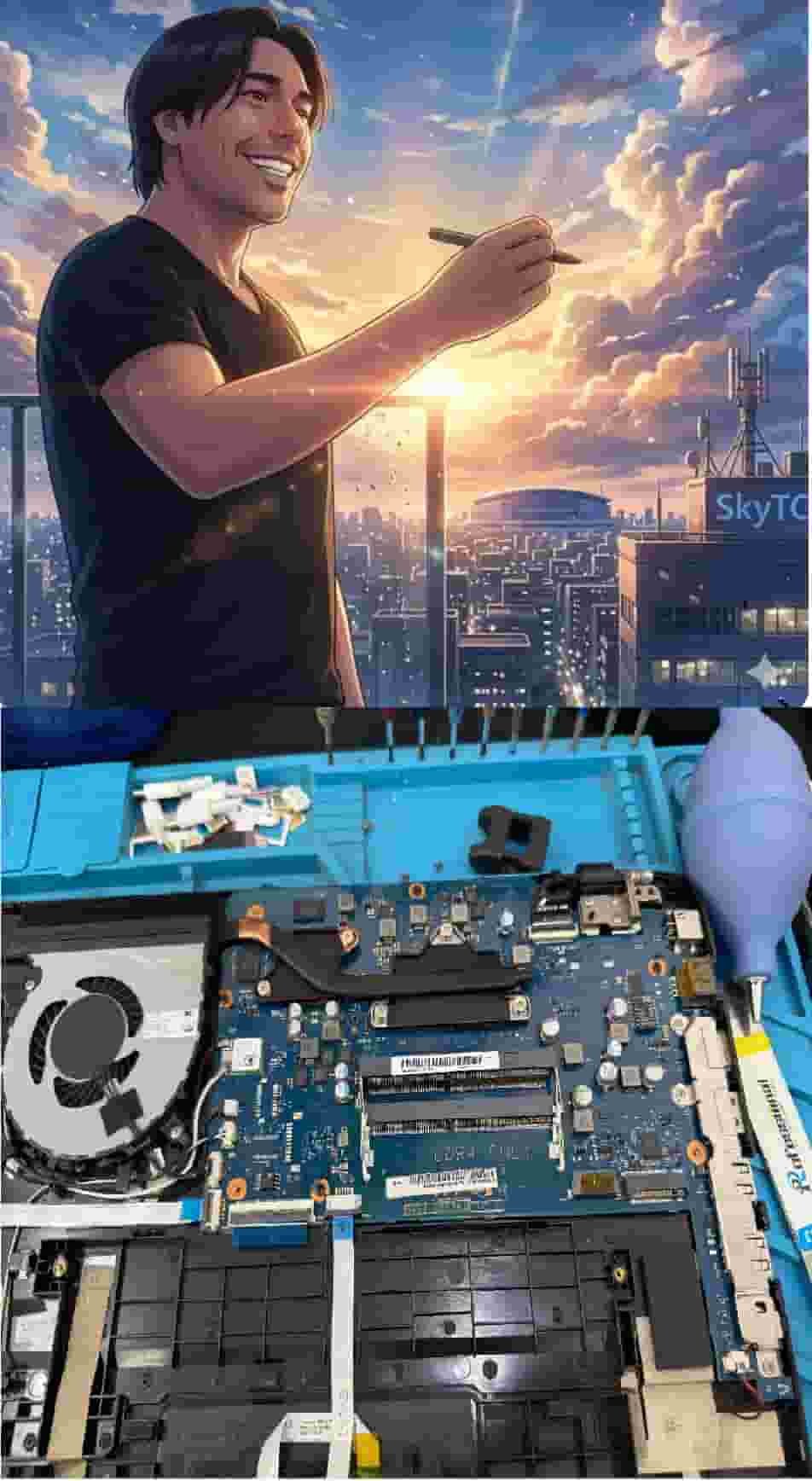
Technical Bio: Hardware & Laptops
“At SkyTC, technology is driven by engineering precision and real field experience. I am Valtersky, and I bring a unique background to the bench: from professional woodworking, the eye for structural integrity; from radiology, an absolute obsession with microscopic details.
As an ultra-endurance marathon runner, I don’t just browse store windows. I tear machines down, run intensive stress tests on thermal dissipation, and validate the actual build quality of every single component. My mission is to translate complex tech engineering and tech finances into smart decisions for your workflow.
Here, we speak straightforward, jargon-free English with the authority of someone who knows exactly what is inside the chassis.”
✨ Read also: Best Budget Webcams for Clear Corporate Zoom Meetings: The No-Nonsense Hardware Blueprint
> A deeply technical piece of content that perfectly complements this post — absolutely worth the read.