
Repeating complex keyboard shortcuts like Ctrl+Shift+V, Alt+Tab, and multi-step spreadsheet commands hundreds of times a day is a fast track to repetitive strain injuries. If you are hunting for the best custom macro pads for streamlining office tasks, you need to cut through gamer RGB fluff and look at real hardware specs. Most off-the-shelf keypads are cheap plastic toys backed by sketchy background software that memory-leaks your operating system into a crawl.
As a veteran laptop systems architect and micro-soldering specialist, I dissect circuit boards for a living. We have a dedicated support team and a laptop hardware specialist who stress-test input peripherals down to the PCB trace level. When you tear down these devices under a microscope, the difference between an engineering masterwork and a bargain-bin failure comes down to microcontroller firmware, hot-swap socket quality, and plate rigidity.
Upgrading your desk stack to a dedicated, hardware-programmable macro engine will save you hundreds of hours of repetitive finger motion. By mapping complex multi-step workflows to dedicated physical switches, you eliminate joint fatigue, prevent carpal tunnel strain, and turn sluggish software navigation into instantaneous physical muscle memory.
30-Second Summary: Best Custom Macro Pads for Streamlining Office Tasks
Skip cheap plastic macro keypads that require bloated, proprietary background software drivers to run. Proprietary drivers crash mid-day, drag down system memory, and fail completely on locked-down corporate laptops without admin rights. Invest in a mechanical macro pad running open-source QMK or VIA firmware stored directly on onboard EEPROM hardware chips. Look for hot-swappable Kailh PCB sockets, an FR4 or anodized aluminum switch plate, a reinforced USB-C port, and at least one high-precision rotary encoder knob for timeline scrubbing or volume control. Zero driver bloat, zero input lag, instant execution across any operating system. End of story.
Battlefield Specs: Custom Macro Pad Architectures Compared
Evaluating macro pad designs across firmware independence, physical build quality, and long-term hardware reliability.
| Macro Pad Architecture | Firmware Platform | Key Matrix & Sockets | Onboard Memory / Layers | Primary Failure Vector |
|---|---|---|---|---|
| QMK / VIA Open-Source Boards | Open-Source C / Web VIA | Kailh Hot-Swap Sockets | Hardware EEPROM (4+ Layers) | Micro-USB port fatigue if un-reinforced |
| Dual-Encoder Media Decks | QMK / VIAL Compatible | Hot-Swap Mechanical Switches | Onboard Chip Storage | Encoder potentiometer wear |
| Proprietary Software Keypads | Closed-Source Windows/Mac SaaS | Soldered Membrane or Switches | Software-Dependent (Host CPU) | Driver software crash & memory leaks |
| Low-Profile Wireless Pads | Proprietary Bluetooth Stack | Low-Profile Mechanical Sockets | Hybrid Onboard / App Storage | Battery degradation & Bluetooth sleep lag |
Evaluating Workspace Input Tools: Battlefield Assessments
Every macro pad architecture carries specific mechanical and software trade-offs. Choosing an input device without auditing its internal PCB layout leaves your daily workflow vulnerable to system crashes and hardware fatigue.
1. QMK / VIA Open-Source Mechanical Macro Boards
Fully open-source mechanical keypads where keymaps, macros, and layer behaviors are flashed directly onto the onboard microcontroller chip.
The Good: Total platform independence, zero background software driver requirements, and instantaneous keystrokes across Windows, macOS, and Linux.
The Bad: Requires an initial learning curve to configure keymaps via web interfaces or raw C code compiling.
2. Multi-Layer Rotary Encoder Macro Decks
Dedicated hardware pads combining mechanical switches with clickable rotary knobs designed for precision scrolling and track adjustment.
The Good: Outstanding physical control for scrubbing video timelines, adjusting audio levels, or zooming through massive spreadsheet grids.
The Bad: Rotary knobs add physical height to the deck, requiring careful wrist placement to avoid awkward extension angles.
3. Proprietary Software-Driven Keypads
Mass-market macro devices that rely on background desktop applications to detect keypresses and trigger macros.
The Good: Out-of-the-box GUI interface featuring drag-and-drop icon setup for non-technical users.
The Bad: Completely useless on locked-down corporate IT laptops, prone to driver memory leaks, and rendered obsolete if the software developer drops support.
Engineering Criteria: Best Custom Macro Pads for Streamlining Office Tasks
To select a macro pad that survives years of heavy daily hammering, you must look beyond external aesthetics and evaluate internal PCB manufacturing standards. The core component of any high-tier macro pad is its microcontroller unit (MCU). Look for chips like the RP2040 or ATmega32U4, which offer ample EEPROM memory for complex string macros and multi-layer layouts.
Firmware independence is non-negotiable. QMK (Quantum Mechanical Keyboard) and VIA firmware store your custom keymaps directly on the pad’s physical memory. Once programmed, you can unplug the pad from your personal desktop and plug it into a locked-down corporate laptop; every macro, text string, and key combination executes flawlessly without installing a single background driver file.
Pay close attention to switch socket engineering. Hot-swappable Kailh or Gateron PCB sockets allow you to swap out failed mechanical switches without touching a micro-soldering iron. However, bargain-bin PCBs use cheap surface-mount solder joints without structural reinforcement pads. Rough switch insertion can tear the copper trace clean off the board, destroying the key matrix trace instantly.
Lastly, demand rigid plate construction. A thin plastic top plate allows the PCB to flex under heavy thumb presses, placing stress on internal solder joints. Look for an FR4 glass-epoxy or anodized aluminum switch plate anchored firmly to the outer chassis. This eliminates flex, delivers crisp tactile switch feedback, and protects internal traces from long-term fatigue.
The Realities of the Battlefield
Peripheral brands push flashy marketing videos showing pristine desk setups, but repair shop teardowns reveal cheap engineering shortcuts. Lightweight plastic cases slide across your desk every time you hit a outer key, forcing you to constantly readjust your hand position.
High-end macro pads feature beautiful aluminum CNC chassis and heavy brass plates. BUT, if the manufacturer used an un-reinforced surface-mount USB-C port, plugging and unplugging the cable repeatedly will snap the tiny anchor pins right off the PCB pads. Look for designs with daughterboards or through-hole mechanical anchor points protecting the main data traces.
Wireless Bluetooth macro pads sound convenient for clean desk setups, but they introduce a severe real-world headache: power-saving sleep modes. When you reach for a wireless macro key after typing an email, the pad takes a full second to wake up and reconnect to the host Bluetooth receiver, dropping your first keystroke completely and wrecking your muscle memory.
Hypothetical Failure Scenario: The Proprietary Driver Crash
Consider the case of Marcus, a financial analyst who bought a cheap, software-dependent macro pad from a popular retail gaming brand. He spent hours programming complex multi-step Excel shortcuts and text strings into the brand’s proprietary Windows background application.
During a high-stakes quarterly presentation to board executives, his laptop updated its background security software. The update caused a silent conflict with the macro pad’s proprietary driver, crashing the background process mid-meeting.
When Marcus tapped his custom macro key to execute a complex spreadsheet formula, the software failed to intercept the raw keycode. Instead of running his script, the pad spammed unmapped raw characters directly across his active financial model, corrupting cell data in front of his entire leadership team. Had he used a hardware-level QMK/VIA macro pad, the memory chip inside the pad would have executed the macro natively without relying on unstable background software processes.
👇 Looking for more performance cheats? Check out our field-tested tactical blueprints:
Guides for Your Next Workspace
Professional Laptops
The definitive blueprint to selecting high-performance, enterprise-grade workstations engineered to scale your productivity.
Budget Tech Tools
Practical strategies and low-cost digital tools engineered to maximize office performance without breaking your budget.
Power User Gadgets
Advanced hardware, desk automation tools, and elite tech ecosystems built to completely eliminate workflow bottlenecks.
Practical Execution Checklist
- Select the best custom macro pads for streamlining office tasks.
Expert Tip: Ensure the pad supports QMK, VIA, or VIAL open-source firmware for native onboard hardware memory storage. - Insist on hot-swappable PCB switch sockets.
Expert Tip: Hot-swap sockets let you replace worn switches or customize key weight without using a micro-soldering iron. - Verify physical USB-C port structural mounting.
Expert Tip: Ports anchored with through-hole mechanical pins resist leverage snapping when cables are bumped or strained. - Choose heavy FR4 or aluminum switch mounting plates.
Expert Tip: Rigid plates eliminate PCB flex during rapid tapping, preventing cracked solder joints beneath switch sockets. - Integrate at least one clickable rotary encoder knob.
Expert Tip: Rotary knobs are superior for continuous analog tasks like volume control, timeline scrubbing, or spreadsheet zooming. - Organize shortcuts across logical memory layer profiles.
Expert Tip: Map Layer 0 for system navigation, Layer 1 for spreadsheet formulas, and Layer 2 for media production controls. - Select silent tactile switches for quiet office environments.
Expert Tip: Tactile switches provide clear physical actuation feedback without generating loud clicky noise that annoys coworkers. - Avoid proprietary software keypads for corporate laptops.
Expert Tip: Locked-down enterprise machines block background driver installations, rendering software-dependent pads completely useless. - Equip heavy silicone or rubber non-skid foot pads.
Expert Tip: Lightweight macro pads skid across smooth desks unless anchored down by heavy cases or high-tack rubber bumpers. - Map complex string macros to single keypress triggers.
Expert Tip: Automate long boilerplate text phrases, code blocks, or email signatures into single hardware EEPROM macros. - Back up your custom VIA JSON layout files offline.
Expert Tip: Save your keymap configuration files to local storage so you can restore custom key profiles instantly if needed.
Dynamic No-Nonsense FAQ
Why is QMK or VIA firmware better than brand software drivers?
QMK and VIA compile your custom keymaps and macros directly onto the hardware microcontroller memory chip inside the pad. Once programmed, the macro pad works on any computer, operating system, or locked-down corporate laptop without running background software applications that eat CPU RAM and crash.
Are rotary encoders actually useful for standard office work?
Yes. A clickable rotary encoder knob is a game-changer for office productivity. You can program the dial to scroll horizontally across wide Excel spreadsheets, zoom in and out of complex PDF blueprints, or adjust system volume with instant physical feedback.
Should I choose hot-swappable switch PCBs over soldered PCBs?
Always choose hot-swappable PCBs. If a mechanical switch contacts wear out after millions of keypresses, you can pop out the faulty switch with a plastic puller tool and insert a new one in seconds. Soldered boards force you to desolder the entire pad just to fix one dead key.
Do wireless Bluetooth macro pads introduce unacceptable input latency?
For high-speed macro execution, yes. Bluetooth macro pads go into aggressive power-saving sleep modes after a few minutes of inactivity. When you hit a key, the pad takes a second to reconnect, frequently dropping your first keypress and breaking your workflow rhythm.
What type of mechanical switches work best for office macro execution?
Medium-weight tactile switches (like brown or silent tactile switches) are ideal. They provide a distinct physical bump at the exact moment of key actuation so you know the macro triggered, without creating loud clicky noises that disturb open-office environments.
How many keys or layers do I realistically need on a macro pad?
A 9-to-12 key pad featuring 4 switchable layers is the sweet spot. A single 9-key pad with 4 layers gives you access to 36 distinct shortcuts while occupying a tiny physical footprint on your desk deck.
Can I use a custom macro pad on locked-down corporate IT laptops without admin rights?
Yes, provided the pad runs QMK or VIA firmware. Because the macros are stored inside the hardware memory chip on the pad itself, the host laptop simply sees a standard USB HID keyboard device that requires zero admin rights or driver software.
Are cheap plastic macro pads worth buying for basic shortcuts?
No. Cheap plastic macro pads flex under finger pressure, slide across your desk, use bargain-bin switches, and rely on sketchy proprietary software drivers that frequently crash or leak memory. Invest in a solid open-source board built to last.
Why Trust SKYTC Curated Gear?
At SKYTC, we simplify technology for you. We aren’t just another deals site; we are hardware experts obsessively focused on elite performance.
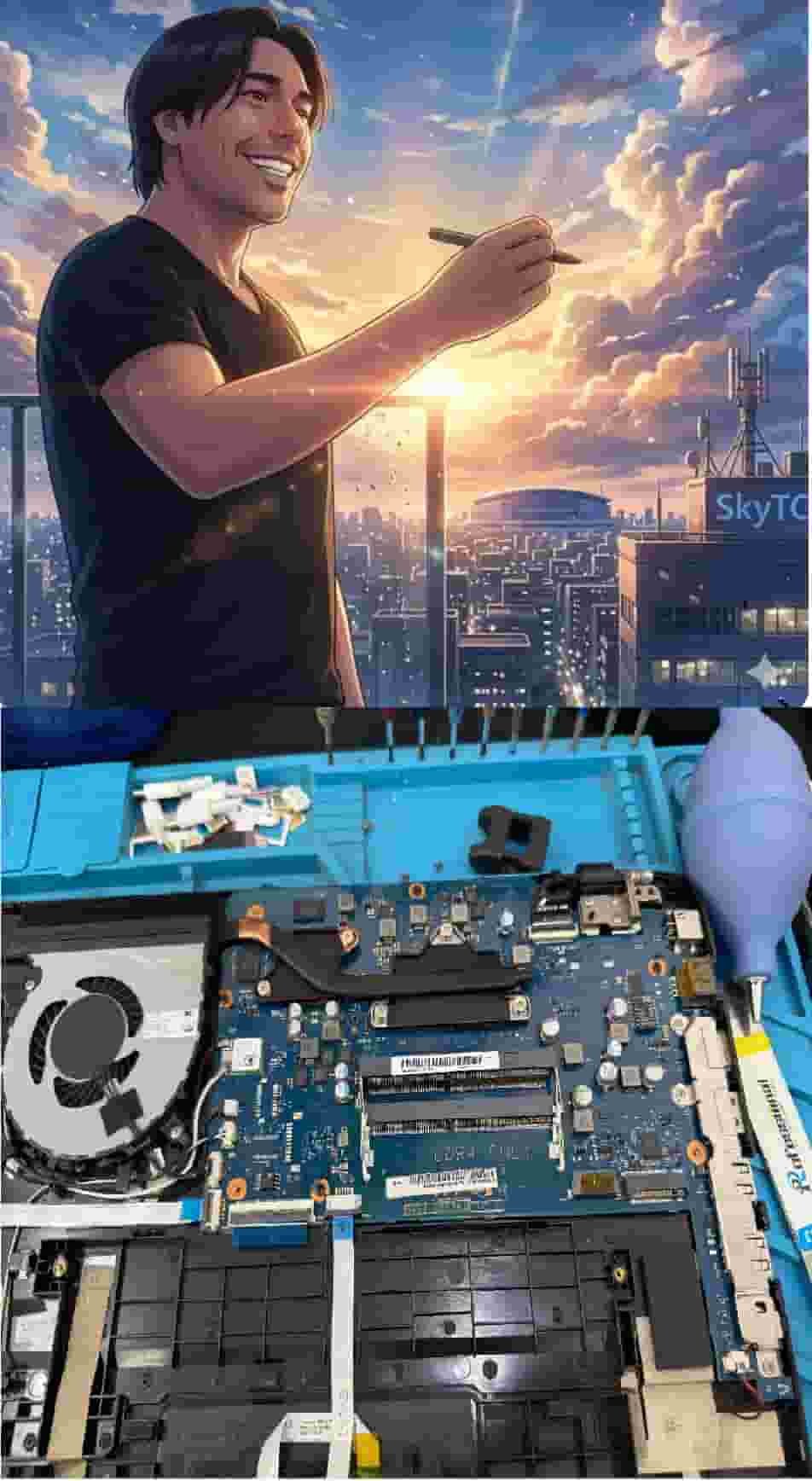
Technical Bio: Hardware & Laptops
“At SkyTC, technology is driven by engineering precision and real field experience. I am Valtersky, and I bring a unique background to the bench: from professional woodworking, the eye for structural integrity; from radiology, an absolute obsession with microscopic details.
As an ultra-endurance marathon runner, I don’t just browse store windows. I tear machines down, run intensive stress tests on thermal dissipation, and validate the actual build quality of every single component. My mission is to translate complex tech engineering and tech finances into smart decisions for your workflow.
Here, we speak straightforward, jargon-free English with the authority of someone who knows exactly what is inside the chassis.”
✨ Read also: Why Dual Scroll Wheel Mouses Speed Up Spreadsheet Work: The Hardware Ergonomic Blueprint
> A deeply technical piece of content that perfectly complements this post — absolutely worth the read.