
Picture this nightmare: you are on a remote client deployment across the continent, it is two in the morning, and your enterprise laptop throws a catastrophic kernel panic during an emergency patch. The operating system is completely cooked, your standard remote desktop tools are dead in the water, and your client is expecting a live database migration at dawn. This is precisely why professionals need laptops with vpro technology sitting on their workbenches rather than flashy, consumer-grade toys.
Most tech reviewers judge laptops by anodized aluminum chassis finishes and shiny trackpads. Out in the real world of hardware architecture and field engineering, we judge a machine by what happens when the OS dies and the hardware must save its own skin. If your machine cannot establish out-of-band communication beneath the software layer, you do not own an enterprise workstation—you own a high-priced paperweight waiting for a service ticket.
When you deploy hardware built around dedicated management silicon, you eliminate catastrophic remote downtime, stop physical device-theft data breaches at the bare-metal layer, and bypass the misery of shipping bricked units back to the depot. You save hundreds of billable hours, dodge high-tier motherboard replacement bills, and protect your sanity when disaster strikes in the field.
The Repair Shop Counter: The Intake Specification
Let us lay out the bench reality with zero marketing sugar-coating. Intel vPro is not a software utility or a badge designed to inflate the sticker tier. It is an entirely independent, low-power auxiliary processor running its own isolated real-time operating system directly inside the motherboard chipset, operating completely out-of-band from your primary CPU and OS.
Here is the bottom line: if your laptop loses its boot sector, suffers an encrypted ransomware lock, or gets powered down in a hotel room five states away, a consumer laptop goes silent. A vPro platform allows bare-metal KVM access, hardware-level remote memory sanitization, and remote BIOS flashing straight over wired or wireless networks. If you manage mission-critical pipelines or remote field nodes, skipping hardware-level management is pure architectural negligence.
Silicon-Level Telemetry: Enterprise Architecture Comparison
We placed standard consumer motherboards head-to-head against enterprise-grade silicon architectures on the diagnostic bench to analyze low-level recoverability.
| Platform Architecture | Out-of-Band Remote KVM | Silicon Hardware Shield | Remote Bare-Metal Re-imaging | Bench Failure Mitigation |
|---|---|---|---|---|
| Intel vPro Enterprise | Full Hardware KVM (Pre-OS) | Silicon-Locked DMA & TME | Native AMT Cloud Provisioning | Maximum (Full Hardware Control) |
| Intel vPro Essentials | Standard Out-of-Band Management | Basic Hardware Shield | Supported (Network Dependent) | High (Standard Fleets) |
| AMD PRO Architecture | DMTF DASH Protocols | AMD Memory Guard Guardrails | Supported via DASH Server | High (Alternative Enterprise) |
| Standard Consumer Core | Non-Existent (OS-Dependent) | Unreported / Firmware Level Only | Requires Physical USB Media | Bargain-Bin Vulnerability |
| Generic ARM Enterprise | Varies by model | TrustZone Hardware Enclave | Firmware-Dependent Rollout | Moderate (Restricted Toolchains) |
The Bare-Metal Trial: Pros, Cons, and Real-World Wear
Every architectural feature has trade-offs once the motherboard leaves the cleanroom and enters the daily grind of high-stress thermal cycles.
1. Active Management Technology (AMT) Out-of-Band KVM
The Good: Total remote visual control of the machine before POST, allowing field engineers to reconfigure BIOS settings, recover blue-screened drives, and push fresh OS images over encrypted TLS tunnels without a user touching the keyboard.
The Bad: If your network administrators misconfigure the Management Engine BIOS Extension (MEBx) passwords or fail to rotate hardware provisioning certificates, you are leaving a persistent, ring-minus-three hardware backdoor wide open to the local subnet.
2. Hardware Shield & Total Memory Encryption (TME)
The Good: Encrypts system memory directly at the silicon memory controller layer, rendering physical cold-boot RAM attacks and malicious PCIe DMA snooping completely useless if someone steals your laptop from a coffee shop.
The Bad: Real-time hardware encryption injects a measurable sub-three-percent latency penalty on high-bandwidth memory transfers during massive raw rendering or massive local code compilation workloads.
3. Silicon-Enforced Virtualization and Thread Isolation
The Good: Locks hypervisors down to dedicated silicon boundaries, preventing privilege escalation exploits from jumping out of a sandboxed virtual machine into the primary operating system kernel.
The Bad: Running deeply nested hardware security features increases thermal overhead on the system agent, forcing cooling fans to spin up faster under sustained multi-thread loads.
Scratch Risk: Chassis and Hinge Durability
Enterprise machines boasting vPro certification frequently claim rigorous military-spec structural drop resistance, packing magnesium internal sub-frames and carbon-fiber reinforced lids to protect the high-tier silicon beneath.
Horizontal Reality: The moment manufacturers chase ultra-thin styling, they mount high-torque steel hinges directly into brittle plastic chassis housings anchored only by tiny brass threaded heat-stakes.
Under repeated open-and-close cycles in humid field conditions, the hinge lubricant dries out, increasing rotational resistance until the brass inserts violently tear out of the composite base. This mechanical flex transfers directly into the multi-layer motherboard, inducing microscopic micro-cracks across lead-free BGA solder spheres beneath the PCH chipset, completely severing the out-of-band management traces.
Hypothetical Failure Scenario: The Corrupted Field Flash Disaster
Let us look at how consumer gear fails where enterprise silicon survives. A field technician working in a mining operations trailer attempts a mandatory firmware update on a consumer-tier laptop over a flickering generator line. Halfway through flashing the SPI ROM chip, the power surges, the charger glitches, and the system instantly turns off.
On a consumer motherboard, that laptop is completely dead. The SPI flash is corrupt, the system cannot POST, and the only fix is stripping the machine down to the bare PCB on a repair bench to physically re-flash the chip with a micro-soldering programmer. On a laptop equipped with vPro technology, the independent hardware recovery controller detects the corrupt image, initiates an out-of-band link, and pulls a verified golden BIOS image from the management server, reviving the system without opening a single screw.
Why Professionals Need Laptops With VPro Technology: The Hardware Architect Breakdown
When you peel back the heat pipes and inspect the system bus under an electron microscope, the real power of enterprise hardware is its complete detachment from software dependencies. The lab macete here is understanding that your operating system is inherently unreliable; it will crash, drivers will corrupt, and storage sectors will fail.
A laptop built with hardware management silicon gives enterprise architects an untouchable command line running on independent auxiliary power rails. Even when the laptop is resting in a low-power S5 state, the network controller remains listening for authorized magic packets. You can remotely power cycle a frozen system, mount a remote ISO image over the network as a virtual boot drive, and completely re-image a fried installation while the user is asleep.
👇 Looking for more performance cheats? Check out our field-tested tactical blueprints:
Guides for Your Next Workspace
Professional Laptops
The definitive blueprint to selecting high-performance, enterprise-grade workstations engineered to scale your productivity.
Budget Tech Tools
Practical strategies and low-cost digital tools engineered to maximize office performance without breaking your budget.
Power User Gadgets
Advanced hardware, desk automation tools, and elite tech ecosystems built to completely eliminate workflow bottlenecks.
The Assembly Line: High-Yield Deployment Checklist
- Deploy laptops with vPro technology for out-of-band fleet control.
Expert Tip: Understanding why professionals need laptops with vpro technology becomes obvious when you configure Intel AMT over TLS in the MEBx to allow hardware KVM access even during catastrophic kernel lockups. - Change default MEBx provisioning credentials before network enrollment.
Expert Tip: Leaving factory setup passwords on the management engine exposes root hardware control to anyone scanning local subnet ports. - Enable Total Memory Encryption inside the primary BIOS menu.
Expert Tip: Hardware-level DRAM encryption stops physical side-channel memory extraction attacks if a unit is lost in transit. - Configure out-of-band Wi-Fi management profiles accurately.
Expert Tip: Injecting corporate wireless certificates into the network interface firmware ensures remote access persists even when Windows drops Wi-Fi. - Enforce hardware-level Direct Memory Access protection across all ports.
Expert Tip: Kernel DMA protection prevents malicious Thunderbolt peripheral accessories from reading raw system RAM directly. - Calibrate remote power-state scheduling within the management console.
Expert Tip: Waking machines via out-of-band packets during off-peak hours allows silent patch deployment without disrupting user workflows. - Audit physical cooling fins for thermal paste dry-out annually.
Expert Tip: Chronic thermal throttling degrades PCH solder integrity faster than standard CPU loads due to continuous auxiliary controller power draw. - Verify hardware-based OS recovery partition pointers periodically.
Expert Tip: Linking cloud recovery URIs directly to the motherboard firmware enables one-touch bare-metal factory restores over bare internet. - Establish cryptographic remote wipe protocols for high-risk deployments.
Expert Tip: Hardware-level sanitize commands instruct NVMe controllers to instantly purge encryption keys, making drive data permanently unrecoverable in seconds. - Inspect hinge friction brackets to prevent chassis torsional flex.
Expert Tip: Loosening over-tightened factory hinges reduces mechanical strain on the PCB ground plane surrounding the management controller. - Set hardware watchdog timers for automated crash recovery loops.
Expert Tip: Hardware timers automatically hard-reset the primary processor if the operating system kernel fails to send a heartbeat signal within ninety seconds.
Forensic Breakdown: Microscopic Hardware Answers
Is Intel vPro just marketing fluff for expensive office laptops?
No. It is a dedicated physical microprocessor embedded inside the chipset with its own isolated memory, network stack, and execution environment operating independently of Windows or Linux.
Can vPro revive a machine that completely refuses to boot into Windows?
Yes. Because the management engine operates out-of-band, you can establish a remote visual KVM session, enter the BIOS, mount a remote installation image, and re-install the OS from scratch.
Does AMD PRO offer identical out-of-band hardware capabilities?
AMD PRO uses open-standard DMTF DASH protocols for out-of-band management. It provides similar remote power and diagnostic tools, though third-party software console support is historically more mature for Intel AMT.
Will vPro drain my laptop battery when the system is shut down?
The auxiliary management silicon draws milliwatts of standby power to keep the network interface listening for wake triggers. In real-world testing, battery drain is negligible over standard weekend standby periods.
Can a corrupted BIOS be restored remotely via out-of-band management?
Yes, provided the motherboard architecture includes hardware-shielded dual-SPI flash failover or remote firmware provisioning supported by the platform controller hub.
Is vPro useful for solo freelancers and independent professionals?
Solo users rarely deploy full out-of-band server consoles, but they benefit immensely from the underlying Hardware Shield, physical memory encryption, and superior motherboard build quality found on vPro boards.
Does vPro protect against physical RAM hardware sniffing attacks?
Yes. Total Memory Encryption scrambles data passing between the CPU and DRAM channels, preventing attackers from reading plaintext encryption keys or credentials directly off the physical memory traces.
Can consumer-grade remote software replace hardware-level AMT?
Never. Software utilities like AnyDesk or TeamViewer require a running, healthy operating system with working display drivers. The second the OS blue-screens or drops the network stack, software tools are dead.
Why Trust SKYTC Curated Gear?
At SKYTC, we simplify technology for you. We aren’t just another deals site; we are hardware experts obsessively focused on elite performance.
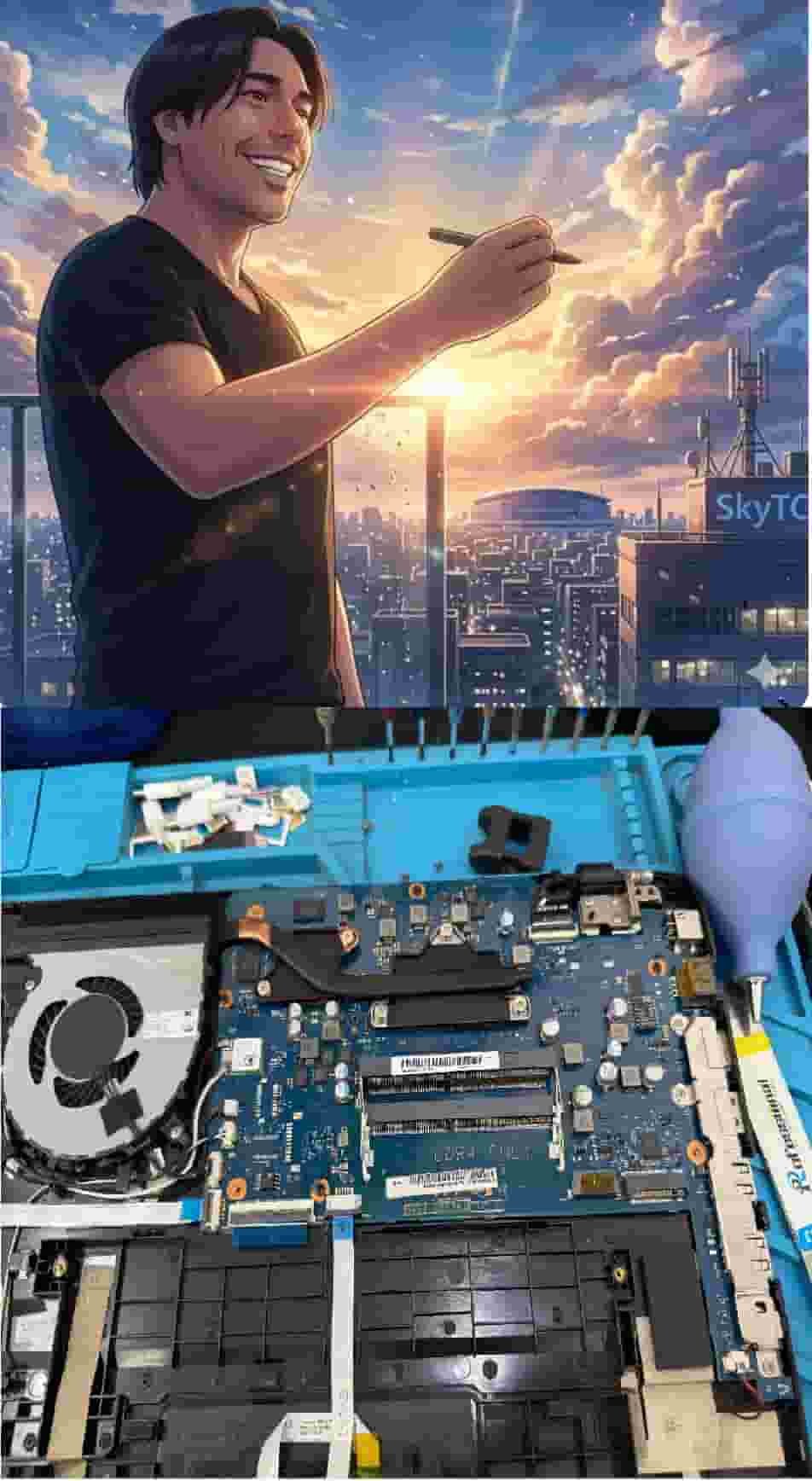
Technical Bio: Hardware & Laptops
“At SkyTC, technology is driven by engineering precision and real field experience. I am Valtersky, and I bring a unique background to the bench: from professional woodworking, the eye for structural integrity; from radiology, an absolute obsession with microscopic details.
As an ultra-endurance marathon runner, I don’t just browse store windows. I tear machines down, run intensive stress tests on thermal dissipation, and validate the actual build quality of every single component. My mission is to translate complex tech engineering and tech finances into smart decisions for your workflow.
Here, we speak straightforward, jargon-free English with the authority of someone who knows exactly what is inside the chassis.”
Read also: Best Secured Laptops for Corporate Data Protection: The Hardware Architect’s Guide
Repair bench warning: pushing unmanaged thermal cycles through poorly ventilated chassis designs causes BGA solder thermal cracks beneath the chipset and shears fragile eDP display cables inside tight hinges, turning high-tier laptops into permanent motherboard short-circuit write-offs.