
Drafting court briefs, analyzing discovery files, and managing confidential client depositions on cheap consumer hardware is a disaster waiting to happen. If you are hunting for secure professional laptops for legal documentation, you need to look beyond glossy marketing brochures. Most retail laptops sold today are thin, fragile time bombs designed for casual web browsing, not for handling privileged legal data under tight deadlines.
As a veteran laptop systems architect and micro-soldering expert, I spend my days under a binocular microscope diagnosing fried motherboards. We have a dedicated support team and a laptop hardware specialist who stress-test machines down to their individual power management ICs. I can tell you with total certainty that most consumer laptops fail at the worst possible moments due to thermal throttling, glued-in batteries, and plastic chassis flex.
Protecting client privilege requires an enterprise-grade hardware security baseline. By insisting on hardware-level encryption modules, magnesium-alloy structural cages, dual-pipe cooling layouts, and user-serviceable storage, you eliminate thermal lockups, prevent catastrophic data loss, and build a mobile legal workstation that lasts for years of courtroom travel.
30-Second Summary: Secure Professional Laptops for Legal Documentation
Skip flashy, ultra-thin consumer ultrabooks with soldered memory and unencrypted baseline storage. If you handle confidential court filings, client depositions, and privileged discovery, buy a business-class laptop built around a discrete **TPM 2.0 security chip**, an OPAL-compliant **Self-Encrypting Drive (SED)**, physical webcam shutters, and a magnesium-alloy chassis frame. Demand dual heat-pipe cooling and socketed memory slots so a single shorted RAM module doesn’t turn your primary work tool into an unrecoverable paperweight. Zero corporate fluff, pure hardware reliability. End of story.
Battlefield Specs: Legal Laptop Hardware Architectures Compared
Evaluating professional laptop categories across hardware security integration, structural durability, and repairability.
| Chassis & Hardware Class | Security Architecture | Storage & Drive Encryption | Chassis Construction | Primary Motherboard Failure Mode |
|---|---|---|---|---|
| Enterprise Business Workstations | Discrete Hardware TPM 2.0 | NVMe SED (OPAL 2.0 Standard) | Magnesium-Alloy Roll Cage | Component wear on secondary I/O board |
| Ruggedized Field Laptops | Discrete TPM + SmartCard Reader | Encrypted Removable Bay NVMe | Impact-Resistant Polymer / Alloy | Overheated DC-jack power connector |
| Ultra-Thin Consumer Ultrabooks | Firmware fTPM (CPU-Integrated) | Standard Unencrypted NVMe | Thin Aluminum / Plastic Shell | Burned power rails & soldered RAM shorts |
| Budget Plastic Retail Laptops | Basic Firmware fTPM | Budget eMMC or Low-Grade NVMe | ABS Plastic with Glued Screw Bosses | Hinge mounts tearing through top case |
Evaluating Workspace Hardware: Battlefield Assessments
Every laptop architecture involves clear mechanical and security trade-offs. Buying a machine without understanding its internal motherboard design leaves your confidential case files exposed to physical destruction and remote exploitation.
1. Enterprise Magnesium-Alloy Business Laptops
Hardened commercial laptops engineered specifically for corporate networks, featuring discrete security chips and rigid structural frames.
The Good: Superior structural rigidity, isolated discrete hardware security modules, outstanding keyboard ergonomics, and accessible internal storage slots.
The Bad: Muted design aesthetics and slightly higher initial investment tiers compared to retail consumer models.
2. Ultra-Thin Consumer Glass-Deck Ultrabooks
Sleek, lightweight laptops marketed heavily to casual users, emphasizing thin profiles and borderless glass displays.
The Good: Extremely lightweight for travel and bright high-resolution display panels.
The Bad: Horrible thermal throttling under heavy PDF indexing, zero socketed upgrade paths, fragile display glass, and high risk of motherboard failure.
3. Heavy-Duty Mobile Workstations
Full-sized desktop replacement laptops equipped with high-wattage processors, dedicated graphics, and extensive port selection.
The Good: Exceptional thermal headroom, massive compute performance for large database indexing, and multi-drive storage options.
The Bad: Heavy power brick overhead, bulkier chassis dimensions, and shorter battery runtime during mobile travel.
Engineering Criteria: Secure Professional Laptops for Legal Documentation
To evaluate a laptop for sensitive legal operations, you must understand the difference between true hardware security and software-level window dressing. The baseline requirement for any legal workstation is a discrete **TPM 2.0 (Trusted Platform Module)** microchip solder-attached directly to the motherboard.
Do not rely on firmware-based TPM (fTPM) built into consumer CPUs. Firmware encryption modules share system memory and can be compromised if the main processor suffers from low-level side-channel vulnerabilities. A discrete TPM chip stores cryptographic keys in physically isolated hardware, protecting your disk encryption credentials even if the main CPU is attacked.
Storage hardware requires **OPAL 2.0 Self-Encrypting Drives (SED)**. Software-based encryption like standard BitLocker uses your main CPU to encrypt and decrypt files on the fly, introducing performance lag when searching through giant PDF discovery archives. Self-Encrypting Drives perform cryptography on a dedicated controller inside the SSD itself, keeping processing speeds blazingly fast while securing data at rest.
From a mechanical perspective, demand a magnesium-alloy internal roll cage. Cheap plastic laptops anchor their metal screen hinges into tiny plastic screw towers. Opening and closing the lid repeatedly causes fatigue; eventually, the plastic snaps, tearing the display ribbon cable and shorting out the motherboard backlight power rail.
The Realities of the Battlefield
Tech reviewers evaluate laptops on fresh desktop surfaces, but bench technicians see what happens after two years of real-world abuse. High-end consumer laptops look sleek in coffee shops, but their internal engineering is built around planned obsolescence.
Ultra-thin aluminum chassis designs look premium. BUT, to achieve that razor-thin profile, manufacturers exhaust hot cooling air directly onto the bottom glass bezel of the display screen. Over time, continuous hundred-degree heat degrades the display controller flex cables, causing screen flickering and permanent horizontal line failures mid-deposition.
Furthermore, glued-in lithium-polymer batteries are a disaster for legal professionals. When a battery reaches the end of its chemical lifecycle, it swells. In a glued chassis, expanding battery cells push directly against the underside of the trackpad and motherboard, cracking internal copper traces and rendering the machine useless overnight.
Hypothetical Failure Scenario: The Courtroom Thermal Collapse
Consider the case of Arthur, a senior litigation partner who bought a stylish consumer ultrabook with a thin plastic chassis and soldered LPDDR5 RAM. He loaded hundreds of gigabytes of unencrypted PDF discovery files onto the machine for an upcoming trial.
During a critical courtroom hearing, Arthur initiated a full-text OCR search across a multi-thousand-page exhibit folder. The ultrabook’s single fan and tiny aluminum heat pipe couldn’t dump thermal energy fast enough. The CPU rapidly spiked past ninety degrees Celsius, triggering aggressive thermal throttling that froze his entire PDF reader application.
Flustered, Arthur grabbed the laptop by the corner of the display lid to show his co-counsel. The flexing display frame placed torsional stress on the cheap plastic hinge mount, snapping the internal screw boss. The broken metal hinge drove straight through the motherboard, shorting out the primary power rail. Because the storage was an unencrypted, soldered chip on the dead board, his team lost access to critical exhibit annotations minutes before their closing argument. Had Arthur used an enterprise business laptop with dual heat pipes and a magnesium roll cage, his machine would have stayed cool, rigid, and fully operational.
👇 Looking for more performance cheats? Check out our field-tested tactical blueprints:
Guides for Your Next Workspace
Professional Laptops
The definitive blueprint to selecting high-performance, enterprise-grade workstations engineered to scale your productivity.
Budget Tech Tools
Practical strategies and low-cost digital tools engineered to maximize office performance without breaking your budget.
Power User Gadgets
Advanced hardware, desk automation tools, and elite tech ecosystems built to completely eliminate workflow bottlenecks.
Practical Execution Checklist
- Select secure professional laptops for legal documentation.
Expert Tip: Ensure the chassis features a discrete hardware TPM 2.0 chip rather than relying on firmware-level fTPM. - Equip self-encrypting NVMe drives meeting OPAL 2.0 standards.
Expert Tip: Hardware-level SSD encryption prevents performance loss while indexing massive PDF deposition files. - Verify the laptop features a magnesium-alloy internal chassis frame.
Expert Tip: Metal roll cages absorb drop impacts and prevent screen hinge mounts from tearing through plastic shells. - Choose dual heat-pipe cooling layouts with dual fans.
Expert Tip: Adequate thermal headroom prevents CPU throttling during intense optical character recognition (OCR) indexing. - Demand physical webcam kill switches at the circuit level.
Expert Tip: Slide shutters are good, but electrical cut-off switches physically disconnect power to the camera sensor. - Avoid laptops with fully soldered RAM modules.
Expert Tip: Socketed SO-DIMM memory slots allow cheap repairs if a single memory chip suffers an electrical failure. - Insist on screw-mounted, user-replaceable battery packs.
Expert Tip: Replaceable batteries prevent swelling cells from warping your trackpad or cracking internal motherboard traces. - Enable BIOS-level power-on passwords and port locks.
Expert Tip: Locking external USB data ports at the hardware BIOS level prevents unauthorized physical data extraction. - Opt for matte, anti-glare display panels over glossy glass.
Expert Tip: Matte screens eliminate harsh overhead glare under bright courtroom lighting, reducing visual eye fatigue. - Verify native RJ-45 Ethernet port availability or robust docks.
Expert Tip: Hardwired LAN connections provide reliable, high-speed security for large discovery file transfers. - Back up full drive encryption recovery keys to cold physical vaults.
Expert Tip: Store printouts of 48-digit BitLocker key strings in a fireproof physical safe separate from your laptop bag.
Dynamic No-Nonsense FAQ
Is software BitLocker enough for sensitive client documentation?
Software BitLocker is acceptable only when paired with a discrete hardware TPM 2.0 chip. Without hardware key isolation, software-only encryption relies on system memory that can be dumped using specialized physical DMA hardware attacks.
Why are consumer ultrabooks a bad idea for legal professionals?
Consumer ultrabooks prioritize thinness over thermal cooling and repairability. They use soldered components, single fragile heat pipes, and glued plastic hinge mounts that break under heavy travel, causing sudden hardware failure.
What is the difference between hardware TPM 2.0 and firmware fTPM?
Hardware TPM 2.0 uses a dedicated, tamper-resistant microchip soldered to the motherboard. Firmware fTPM runs inside the main CPU’s system environment, making it vulnerable to processor-level side-channel exploits.
Should legal laptops have soldered RAM or socketed SO-DIMM slots?
Socketed SO-DIMM slots are far superior. If a soldered memory module develops a short circuit, your entire motherboard dies, locking away your data. Socketed memory lets you swap out a dead stick in five minutes.
Are built-in physical webcam shutters actually effective?
Physical slide shutters block the visual lens, but the best security comes from hardware kill switches that physically cut power to the camera and microphone circuits, preventing unauthorized audio listening.
How does thermal throttling affect heavy PDF indexing and OCR software?
When a CPU overheats due to poor cooling, its clock speed drops by half or more to avoid melting. This causes complex legal software like Adobe Acrobat or CaseNotebook to freeze completely while indexing large exhibit folders.
Is a magnesium-alloy chassis really worth the premium tier investment?
Yes. Magnesium alloy provides high structural strength at lightweight ratios. It prevents motherboard flexing, protects internal solder joints from cracking, and ensures screen hinges stay anchored securely over years of daily use.
What is the single biggest hardware flaw in modern business laptops?
Cooling fan vents that exhaust hot air directly onto the bottom display hinge. Continuous thermal stress burns out the screen flex cables, causing permanent display lines and premature screen failure.
Why Trust SKYTC Curated Gear?
At SKYTC, we simplify technology for you. We aren’t just another deals site; we are hardware experts obsessively focused on elite performance.
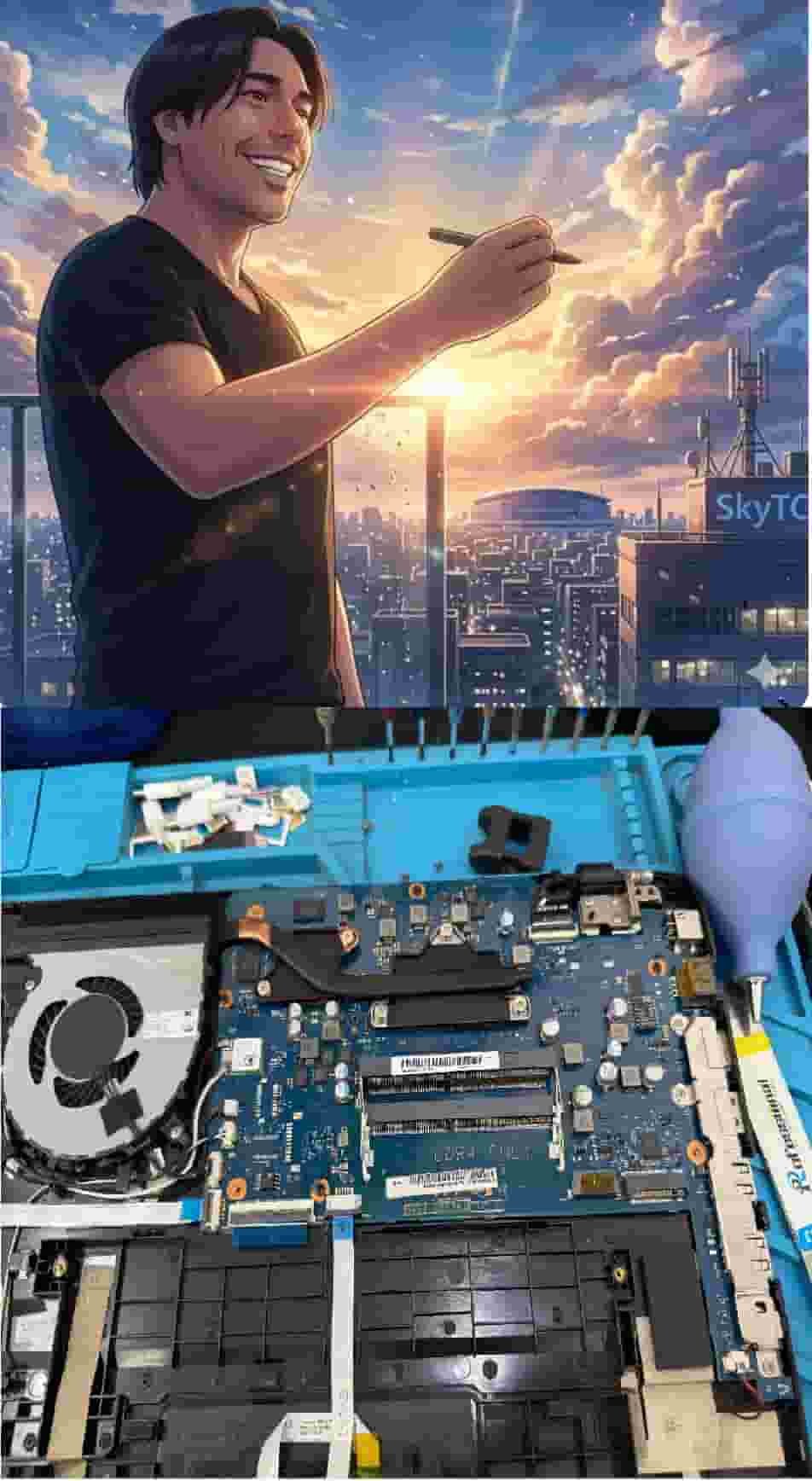
Technical Bio: Hardware & Laptops
“At SkyTC, technology is driven by engineering precision and real field experience. I am Valtersky, and I bring a unique background to the bench: from professional woodworking, the eye for structural integrity; from radiology, an absolute obsession with microscopic details.
As an ultra-endurance marathon runner, I don’t just browse store windows. I tear machines down, run intensive stress tests on thermal dissipation, and validate the actual build quality of every single component. My mission is to translate complex tech engineering and tech finances into smart decisions for your workflow.
Here, we speak straightforward, jargon-free English with the authority of someone who knows exactly what is inside the chassis.”
✨ Read also: Top Business Laptops With Hardware Camera Shutters: The Zero-Trust Privacy Manual
> A deeply technical piece of content that perfectly complements this post — absolutely worth the read.