
Understanding exactly how firmware security protects professional laptops is the difference between owning a reliable computing tool or a lifeless slab of silicon sitting under my microscope. Most users obsess over CPU clock speeds and OLED color accuracy while completely ignoring the low-level code that actually commands their motherboard before Windows or Linux even wakes up.
You sit down for an urgent workday, tap the power button, and get hit with a black screen, pulsing fan loops, or a silent hardware failure. You pray it is a dead battery, but your operating system cannot save you when the machine’s foundational boot code gets corrupted, hijacked, or locked in an endless initialization panic.
When your machine runs hardened firmware defense, it validates every single microsecond of the boot sequence at the bare-metal level. You stop panic-buying replacement motherboards, eliminate the nightmare of unrecoverable low-level rootkits, and keep your daily production pipeline completely bulletproof.
The Repair Shop Counter: The Intake Specification
Here is the straight bench talk: if your laptop relies on legacy, unauthenticated boot routines, your operating system security is nothing more than security theater.
Software-based antiviruses operate at Ring 3 and Ring 0, but a malicious firmware injection executes at Ring -2 (System Management Mode), rendering standard antivirus software completely blind, deaf, and useless.
The verdict is simple: prioritize workstations featuring hardware-enforced Root of Trust, cryptographically signed Embedded Controller firmware, dual SPI flash recovery chips, and automated rollback protection before putting mission-critical workloads on any chassis.
Firmware Defense Matrix: Technical Comparison Table
Below is how modern hardware-level security layers stack up under microscopic bench inspection across consumer and enterprise machines:
| Security Layer | Hardware Execution Point | Rootkit Immunity | Physical Tamper Resistance | Recovery Complexity |
|---|---|---|---|---|
| Hardware Root of Trust (RoT) | CPU Silicon / Secure Enclave | Institutional tier | High (Cryptographic fuse lock) | Automated hardware failover |
| Dual SPI Flash SOIC-8 | Dedicated Motherboard ROM | High | Moderate (Direct probe risk) | Instant backup switch |
| Discrete TPM 2.0 Module | Standalone Security IC | High (Cryptographic co-processor) | High (Bus encryption active) | Board-level replacement |
| Legacy Unsigned UEFI | Standard Motherboard Flash | Low-grade baseline | Unreported / Zero defense | Requires manual desoldering |
Why Firmware Security Protects Professional Laptops From Permanent Silicon Death
Every time you press the power rail on your laptop, a complex cascade of power-good signals fires across the motherboard. The Embedded Controller (EC) wakes up, releases the reset line, and instructs the main chipset to read the initial boot vectors from the SPI flash memory chip.
If that flash memory is unauthenticated, an attacker or a corrupted background update can rewrite the descriptor region, injecting malicious code directly into the System Management Mode (SMM). At that level, the rogue payload can log keystrokes, siphon encryption keys, and bypass disk encryption without leaving a single trace in your OS event logs.
Hardware-level firmware protection solves this by anchoring trust directly into the CPU’s immutable boot ROM. The processor verifies the digital signature of the UEFI binary against hard-burned silicon keys before executing a single instruction—a vital lab macete that stops persistent bootkits dead in their tracks.
The Bare-Metal Trial: Pros, Cons, and Real-World Wear
Hardened hardware security sounds fantastic on marketing slide decks, but living with enterprise-grade lockouts comes with genuine operational trade-offs you must understand:
Cryptographically Locked Hardware Enclaves
The Good: Total protection against unauthorized Option ROM injection, rogue thunderbolt DMA attacks, and cold-boot memory extraction on stolen hardware.
The Bad: If a faulty firmware patch corrupts the private key handshake during a power loss, the motherboard turns into an unrepairable brick that cannot be salvaged even with external SPI flashing tools.
Self-Healing Dual-BIOS Configurations
The Good: If the primary flash ROM is compromised or corrupted, the hardware automatically clones the pristine golden image from a backup chip, getting you back to work in seconds.
The Bad: Low-grade secondary flash chips often share the same power rail, meaning a catastrophic overvoltage spike on the 3.3V standby line will fry both chips simultaneously.
Risco do Riscador: Resistência de Chassi e Dobradiça
Manufacturers love showcasing sleek aluminum lid finishes and diamond-cut CNC edges in their commercial ads. But inside the chassis, those heavy metal display assemblies are held together by tiny brass threaded inserts heat-staked into paper-thin, low-grade polycarbonate plastic bosses.
The premium metal lid gives a deceptive feeling of tank-like rigidity. However, the constant mechanical torque from overtightened factory steel hinges slowly fatigues the brittle plastic anchors underneath, eventually ripping the brass standoffs clean out of the palmrest.
When those hinge standoffs snap, the loose metal arms shift internally and pinch the ultra-fragile eDP display cable directly against the internal heat sink fins. This mechanical failure causes immediate catastrophic short-circuits, sending raw 19-volt backlight power rails directly into the low-voltage 3.3V data lines and instantly vaporizing the CPU’s integrated display engine.
The Hypothetical Failure Scenario: The Interrupted Coffee-Shop Flash
Picture an architect working late on a massive rendering project on public transit. The operating system quietly queues an automated firmware and EC update in the background, scheduled to trigger on the next system restart.
The architect closes the laptop lid to pack up, unaware that the machine is actively flashing the secondary boot blocks of the SPI flash chip. Thinking the machine is asleep, the user unplugs the power adapter and pulls the laptop into a cold commuter bag.
The thermal cutoff kicks in, or the battery drops below threshold during the write phase. The next morning, the laptop shows zero signs of life—no charging LED, no fan spin, and no display handshake. The incomplete flash cycle wiped the primary boot block, leaving the machine in a permanent coma that requires stripping the entire motherboard down to the bare PCB to desolder the SOIC-8 chip for manual reprogramming.
👇 Looking for more performance cheats? Check out our field-tested tactical blueprints:
Guides for Your Next Workspace
Professional Laptops
The definitive blueprint to selecting high-performance, enterprise-grade workstations engineered to scale your productivity.
Budget Tech Tools
Practical strategies and low-cost digital tools engineered to maximize office performance without breaking your budget.
Power User Gadgets
Advanced hardware, desk automation tools, and elite tech ecosystems built to completely eliminate workflow bottlenecks.
The Assembly Line: High-Yield Deployment Checklist
Follow this zero-compromise bench deployment checklist to lock down your machine’s hardware security layer immediately:
- Learn how firmware security protects professional laptops today.
Expert Tip: Enter your UEFI menu immediately and verify that Secure Boot and Intel Boot Guard or AMD Hardware Validated Boot are strictly enforced. - Set an immutable supervisor password on BIOS settings.
Expert Tip: Without an administrative UEFI password, anyone with physical access can plug in a rogue Linux USB drive and tamper with your boot order. - Disable Direct Memory Access on exposed external ports.
Expert Tip: Turn off Kernel DMA support for external Thunderbolt and PCIe slots to block malicious physical dongles from reading system RAM. - Never flash firmware updates on unconditioned battery power.
Expert Tip: Always plug your laptop directly into a verified OEM power supply connected to a battery backup before initiating any UEFI flash cycle. - Enable automated BIOS integrity checking and auto-rollback.
Expert Tip: Select enterprise platforms that compare the running firmware against an isolated hardware golden image on every cold boot. - Audit physical motherboard clearance around exhaust heat vents.
Expert Tip: Ensure exhaust airflow does not blow directly across delicate surface-mount SPI flash chips or flex cables to prevent long-term solder fatigue. - Deactivate legacy Option ROM execution in boot options.
Expert Tip: Force pure UEFI Class 3 mode without Compatibility Support Module (CSM) to eliminate 16-bit legacy exploit vectors completely. - Inspect physical hinge tension every six operational months.
Expert Tip: If your screen requires heavy force to open, loosen the hinge locknuts slightly to prevent the internal brass standoffs from tearing apart. - Enforce cryptographic firmware update capsule signature verification.
Expert Tip: Block manual flashing of unsigned or modified binary ROM files by enforcing vendor-signed capsule update policies. - Clear CMOS memory properly after any thermal event.
Expert Tip: If your machine suffers an emergency thermal shutdown, disconnect both the main battery and the coin cell to reset corrupted volatile EC registers. - Maintain an offline bit-for-bit backup of your SPI ROM.
Expert Tip: Use an external EEPROM programmer to dump your factory BIOS image and Windows key tables before deploying custom operating systems.
Forensic Breakdown: Microscopic Hardware Answers
Can a standard software antivirus clean a compromised UEFI bootkit?
No. Antivirus programs load long after the bootkit has already seized control of the CPU’s early execution pipeline, making the infection completely invisible.
What happens when a firmware update bricks an unshielded laptop?
The system enters a continuous boot loop or power-cycling state, requiring board-level micro-soldering to desolder and manually re-flash the SPI chip.
Is modern TPM 2.0 completely unhackable via physical hardware taps?
No. Low-grade implementations that transmit cryptographic keys across unencrypted LPC buses can be sniffed using inexpensive logic analyzers clamped directly to board traces.
Why do budget laptops rarely feature dual-BIOS recovery chips?
To cut bill-of-materials production overhead. Omitting the secondary flash chip and its switching logic saves pennies per board at the expense of zero hardware redundancy.
Does leaving a laptop plugged in all the time degrade the EC chip?
No, but the continuous heat soaking from standby power circuits dries out nearby filtering capacitors, increasing electrical ripple over long operational periods.
Can thermal throttling permanently damage motherboard firmware logic?
Yes. Chronic heat exposure around exhaust channels can cause micro-fractures in solder ball grids under BGA chips, leading to corrupted data reads from the flash ROM.
Is buying a used workstation laptop with an unknown BIOS password safe?
Absolutely not. Enterprise laptops with locked supervisor passwords often have tamper-fuses blown, permanently blocking firmware updates and hardware upgrades.
What is the most common reason a laptop dies during a BIOS update?
Users pulling power cords or closing the lid mid-flash, combined with cheap flash chips suffering write-cycle exhaustion on corrupted sector blocks.
Why Trust SKYTC Curated Gear?
At SKYTC, we simplify technology for you. We aren’t just another deals site; we are hardware experts obsessively focused on elite performance.
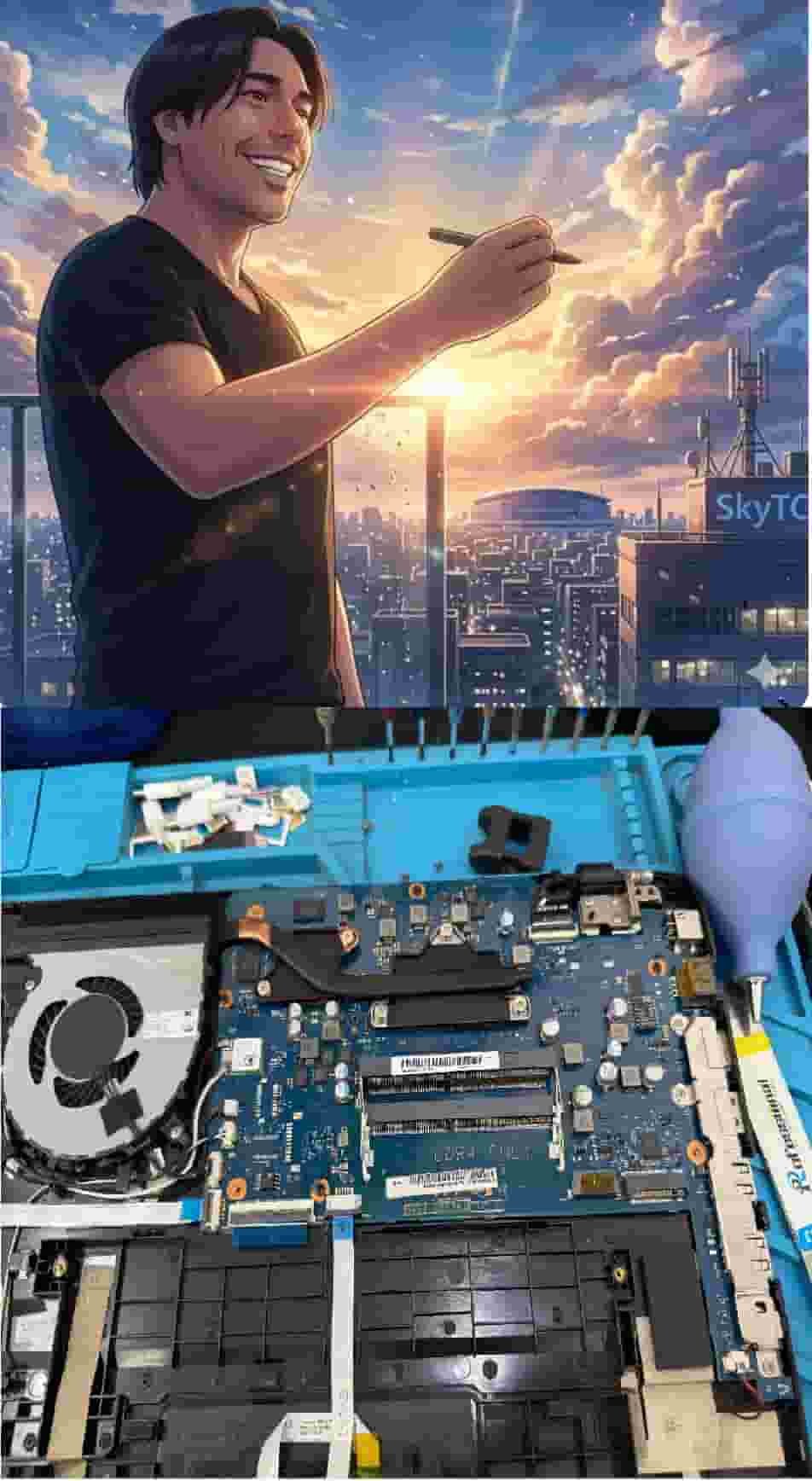
Technical Bio: Hardware & Laptops
“At SkyTC, technology is driven by engineering precision and real field experience. I am Valtersky, and I bring a unique background to the bench: from professional woodworking, the eye for structural integrity; from radiology, an absolute obsession with microscopic details.
As an ultra-endurance marathon runner, I don’t just browse store windows. I tear machines down, run intensive stress tests on thermal dissipation, and validate the actual build quality of every single component. My mission is to translate complex tech engineering and tech finances into smart decisions for your workflow.
Here, we speak straightforward, jargon-free English with the authority of someone who knows exactly what is inside the chassis.”
Read also: Secure Professional Laptops for Legal Documentation: The Bench Technician’s Hardware Manual
RAW REPAIR BENCH WARNING: Neglecting chassis hinge strain and continuous thermal cycling inevitably results in eDP cable shearing inside hinges, BGA solder thermal cracks, and catastrophic 19V motherboard short-circuits that destroy both CPU silicon and display panels instantly.