
You are packing up your gear at a crowded airport lounge, your flight is boarding, and in a split-second distraction, your laptop bag disappears. Inside that chassis sits proprietary source code, client database access tokens, and uncommitted architectural blueprints. Shopping for the top encrypted work laptops for remote tech employees is not about buying into sleek lifestyle commercials; it is about guaranteeing that even if a nation-state attacker rips the NVMe drive out of your machine, they get nothing but indecipherable electronic noise.
Most remote workers think enabling a basic software password or flipping on standard operating system encryption keeps them safe. That is pure fantasy. If your laptop relies on cheap firmware-level encryption without dedicated silicon enclaves, physical DMA port protection, or hardware-isolated cryptographic key storage, your company data is wide open to hardware bus sniffers, cold-boot memory dumps, and physical interposer taps.
Deploying a true hardware-encrypted workstation prevents devastating corporate data breaches, ensures instant regulatory compliance across international borders, and eliminates the career-ending panic of lost hardware. You protect your intellectual property, safeguard your clients’ trust, and save thousands in emergency forensics and liability exposure with a single, battle-tested hardware configuration.
The Repair Shop Counter: The Intake Specification
Pull up a stool at the repair bench and let us strip away the corporate marketing jargon. If your laptop does not have a discrete physical crypto-processor (dTPM 2.0) soldered directly to the motherboard PCB, or an isolated on-die hardware enclave, stop calling it a secure workstation. Firmware TPMs (fTPM) running in shared system memory are prone to micro-architectural side-channel attacks and motherboard bus snooping.
The intake bottom line: you want hardware-level Self-Encrypting Drives (SED) certified under TCG Opal 2.0, full memory encryption (Intel TME or AMD Memory Guard) to stop cold-boot physical DRAM extraction, hardware DMA attack shielding over Thunderbolt ports, and physically tamper-evident chassis fasteners. If your machine cuts corners on any of these four hardware pillars, you are carrying an unshielded liability in your backpack.
Cryptographic Silicon: Hardware Security Architecture Comparison
We placed the primary enterprise laptop architectures under the diagnostic microscope to see how their physical crypto-controllers handle direct hardware penetration testing.
| Platform Archetype | Cryptographic Engine | Storage Encryption Standard | Memory Bus Encryption | Bench Security Rating |
|---|---|---|---|---|
| Enterprise Secured-Core Workstation | Discrete TPM 2.0 (dTPM) | TCG Opal 2.0 SED Hardware NVMe | Full Silicon TME / Memory Guard | Maximum (Bare-Metal Fortified) |
| Silicon Enclave Unified SoC | Custom On-Die Secure Enclave | AES-XTS 256 Hardware Engine | Unified Memory Space Guard | Maximum (Hardware-Locked SoC) |
| Open Firmware Security Rig | Physical TPM 2.0 + Heads/Coreboot | LUKS2 with Hardware Key Token | Varies by model | High (Auditable Open Silicon) |
| Consumer-Grade Thin-and-Light | Firmware fTPM / PTT (Shared) | Software-Bound CPU AES Only | Unreported / Non-Existent | Bargain-Bin Vulnerability |
| Rugged Field Terminal | Military-Grade Dedicated Crypto Sled | FIPS 140-2 Encrypted Caddy | Silicon Memory Shielding | Maximum (Physical & Digital Armor) |
The Bare-Metal Trial: Pros, Cons, and Real-World Wear
Let us look at how these encrypted laptop architectures survive thermal cycling, daily wear, and physical tampering out in the field.
1. Discrete TPM 2.0 Enterprise Workstations
The Good: Independent hardware-level crypto-silicon stores your cryptographic keys physically isolated from the primary CPU execution pipeline, neutralizing firmware-level compromise attempts.
The Bad: Cheaply engineered boards route the Serial Peripheral Interface (SPI) or LPC bus traces unshielded across motherboard surface layers, allowing an attacker with a high-end oscilloscope or logic analyzer to physically sniff encryption keys right off the traces during boot.
2. Silicon Enclave Unified SoC Architectures
The Good: Memory controllers, secure enclaves, and AES hardware crypto-engines are fused inside a single monolithic silicon die, making physical trace sniffing physically impossible without an electron microscope.
The Bad: Total lack of modularity; if the onboard power delivery circuitry suffers a fatal short circuit, your encrypted data is permanently trapped on soldered NAND flash chips with zero modular drive extraction paths.
3. Open-Source Firmware & Coreboot Platforms
The Good: Replaces proprietary black-box UEFI BIOS code with fully auditable open-source firmware, paired with physical cryptographic tokens to detect any microscopic hardware tampering.
The Bad: Driver optimization and battery power management profiles are notoriously rough around the edges, resulting in hotter running temps and noticeably shorter field battery runtimes.
Scratch Risk: Chassis and Hinge Durability
Many enterprise-grade secure laptops feature rigid magnesium-alloy bottom covers and CNC-milled aluminum top lids designed to protect delicate cryptographic motherboard traces from physical flex.
Horizontal Reality: When manufacturers shave chassis thickness to satisfy modern aesthetic trends, structural hinge anchors are downsized to tiny steel brackets screwed into thin plastic sub-frames.
Under repeated airline tray-table use and daily backpack pressure, hinge friction spikes as factory lubrication dries out. The resulting torsional stress flexes the corner of the motherboard, inducing micro-fractures in lead-free BGA solder spheres beneath the discrete TPM chip or the platform controller hub. A single broken solder joint under the crypto-processor bricks the cryptographic handshake, permanently locking you out of your encrypted drive with zero software recovery recourse.
Hypothetical Failure Scenario: The Airport Cold-Boot Trap
Consider this real-world security nightmare: a remote DevOps engineer finishes a coding session at a terminal cafe, closes the laptop lid to put it into Modern Standby, and leaves it briefly unattended to grab a coffee. A thief grabs the machine, immediately takes it to a nearby staging bench, and pulls the bottom plate off.
Because the laptop was running standard consumer hardware without total memory encryption, the RAM modules remain powered in self-refresh mode with raw master cryptographic keys stored in cleartext memory cells. The attacker blasts the DRAM chips with inverted compressed air to freeze the silicon cells down to sub-zero temperatures, quickly transplants the modules into a memory dumper, and extracts the full volume encryption keys in under three minutes. If that machine had silicon-level memory bus encryption (Intel TME or AMD Memory Guard), the dumped memory cells would be completely scrambled, useless mathematical noise.
Why Silicon-Level Defense Defines Top Encrypted Work Laptops for Remote Tech Employees
In true cybersecurity engineering, the tactical cheat code is hardware isolation. Software-only encryption running on a generic consumer operating system is entirely dependent on the kernel staying uncompromised. The second an attacker achieves ring-zero kernel execution or ring-minus-two management engine privileges, software encryption keys can be scooped right out of volatile memory.
Deploying the highest-tier encrypted hardware creates a zero-trust perimeter right at the silicon substrate. When an NVMe drive uses onboard TCG Opal cryptographic hardware controllers, encryption and decryption occur entirely inside the drive’s isolated ASIC processor without burning host CPU clock cycles or passing raw keys over the system PCIe bus. That is how elite remote tech workers maintain bank-vault security without compromising compiler throughput or rendering speed.
👇 Looking for more performance cheats? Check out our field-tested tactical blueprints:
Guides for Your Next Workspace
Professional Laptops
The definitive blueprint to selecting high-performance, enterprise-grade workstations engineered to scale your productivity.
Budget Tech Tools
Practical strategies and low-cost digital tools engineered to maximize office performance without breaking your budget.
Power User Gadgets
Advanced hardware, desk automation tools, and elite tech ecosystems built to completely eliminate workflow bottlenecks.
The Assembly Line: High-Yield Deployment Checklist
- Deploy top encrypted work laptops for remote tech employees with discrete dTPM 2.0 silicon.
Expert Tip: Verifying physical dTPM 2.0 architecture in your system hardware diagnostics ensures your crypto-keys are isolated from host CPU firmware vulnerabilities. - Enable Total Memory Encryption inside the UEFI hardware settings.
Expert Tip: Silicon memory bus encryption scrambles system DRAM in real time, completely neutralizing physical cold-boot memory extraction attacks. - Install TCG Opal 2.0 Self-Encrypting NVMe storage hardware drives.
Expert Tip: Hardware-based storage encryption offloads cryptographic workloads directly to the drive controller, preserving full host system performance. - Lock down Thunderbolt and USB-C ports with Direct Memory Access protection.
Expert Tip: Enabling Kernel DMA protection blocks rogue peripheral accessories from reading raw system memory over high-speed PCIe interfaces. - Enforce pre-boot authentication PINs on all encrypted system volumes.
Expert Tip: Requiring a physical PIN before POST prevents the TPM from automatically releasing encryption keys until authorized human input is verified. - Disable Modern Standby in favor of S4 hibernation states completely.
Expert Tip: Forcing the system to hibernate writes encrypted state to disk and fully cuts power to DRAM, eliminating physical sleep-state memory snooping. - Set hardware-level supervisor and boot-device firmware access passwords.
Expert Tip: Restricting BIOS access prevents unauthorized attackers from booting external live Linux recovery drives to tamper with system bootloaders. - Store cryptographic volume recovery keys strictly in physical air-gapped vaults.
Expert Tip: Keeping recovery keys off consumer cloud sync platforms prevents remote cloud credential compromises from invalidating your local encryption. - Inspect physical chassis tamper-evident screws and casing seams monthly.
Expert Tip: Spotting stripped torx screws or prying marks alerts you to covert physical evil-maid hardware implants before you boot the machine. - Deploy physical sliding shutters over webcam and microphone sensor rails.
Expert Tip: Hardware-disconnected sensor lines provide absolute optical and acoustic privacy that no kernel-level zero-day exploit can bypass. - Transport secure hardware in RF-shielded Faraday travel sleeves.
Expert Tip: Blocking rogue wireless beaconing, NFC polling, and remote wake packets isolates your encrypted laptop completely while in transit.
Forensic Breakdown: Microscopic Hardware Answers
Is software BitLocker just as secure as hardware-based SED encryption?
No. Software BitLocker uses host CPU cycles to encrypt data and passes keys across system buses. Hardware SED drives execute encryption inside the drive’s dedicated controller, keeping keys completely off the host processor.
Can a stolen laptop be decrypted if it uses discrete TPM 2.0 with a PIN?
Without the pre-boot PIN, an attacker cannot extract keys from a discrete TPM. Brute-force attacks trigger the TPM’s onboard hardware anti-hammering lockout logic after a handful of failed attempts, bricking access.
What is the difference between dTPM and fTPM on laptop motherboards?
A discrete TPM (dTPM) is a dedicated physical crypto-chip with its own hardware security perimeter. A firmware TPM (fTPM) runs inside CPU system management mode, sharing silicon resources and memory with the OS.
Does full disk encryption degrade NVMe SSD read and write speeds?
Software encryption can cause a minor five to ten percent throughput drop during sustained multi-gigabyte transfers. Hardware-based TCG Opal SED encryption operates at line speed with zero performance penalty.
Can an attacker read my encryption keys using an open Thunderbolt port?
Yes, unless your laptop supports and enables Kernel DMA Protection. Malicious DMA accessories can bypass the OS entirely and read plaintext encryption keys directly out of system RAM over PCIe lanes.
Why is S3 sleep or S0 Modern Standby risky for encrypted laptops?
Modern Standby keeps power flowing to DRAM chips where encryption keys reside in plaintext. An attacker with physical possession can freeze the RAM or use hardware debuggers to dump the memory contents.
Are laptops with soldered storage safer against hardware theft?
Soldered storage prevents an attacker from simply popping out the SSD into an external reader. However, if the motherboard dies, data recovery requires specialized micro-soldering chip-off forensics.
Can a BIOS firmware update brick my hardware-encrypted laptop?
Yes, if the update clears the TPM cryptographic registers without you backing up your recovery keys first. Always suspend volume encryption and verify your offline recovery keys before flashing firmware.
Why Trust SKYTC Curated Gear?
At SKYTC, we simplify technology for you. We aren’t just another deals site; we are hardware experts obsessively focused on elite performance.
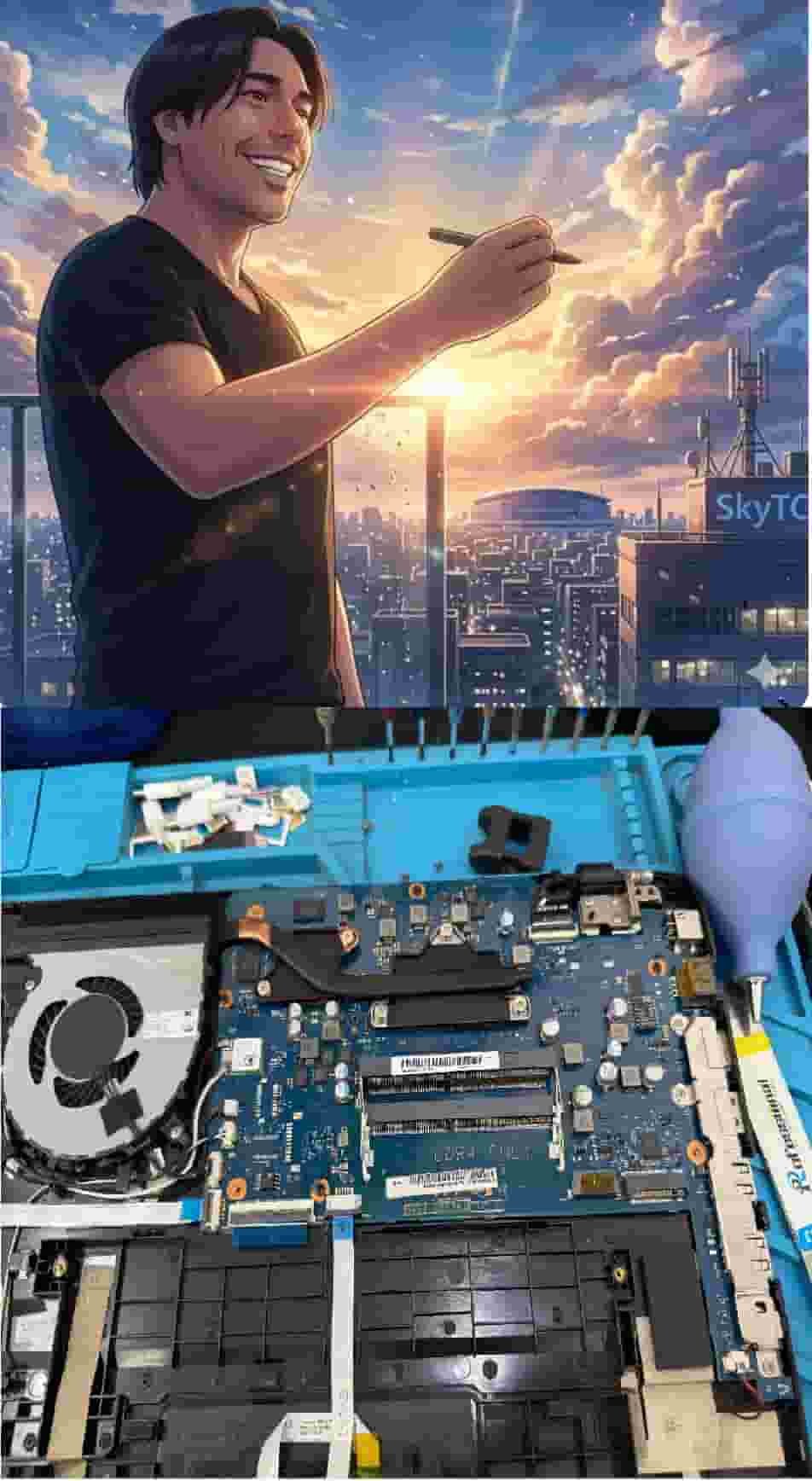
Technical Bio: Hardware & Laptops
“At SkyTC, technology is driven by engineering precision and real field experience. I am Valtersky, and I bring a unique background to the bench: from professional woodworking, the eye for structural integrity; from radiology, an absolute obsession with microscopic details.
As an ultra-endurance marathon runner, I don’t just browse store windows. I tear machines down, run intensive stress tests on thermal dissipation, and validate the actual build quality of every single component. My mission is to translate complex tech engineering and tech finances into smart decisions for your workflow.
Here, we speak straightforward, jargon-free English with the authority of someone who knows exactly what is inside the chassis.”
Read also: Why Professionals Need Laptops With VPro Technology
Repair bench warning: pushing unmanaged thermal cycles through poorly ventilated chassis designs causes BGA solder thermal cracks beneath the chipset and shears fragile eDP display cables inside tight hinges, turning high-tier laptops into permanent motherboard short-circuit write-offs.