You boot up your machine, and the fan immediately screams like an angry turbine while you do nothing more demanding than opening a spreadsheet. Your palms feel like they are resting on a griddle, the battery gauge drains right before your eyes, and you are gripped by the nauseating panic that this expensive machine is about to give up the ghost. If you want to extend laptop lifespan without falling victim to the endless consumer upgrade cycle, you need to look past marketing claims and understand what happens on the motherboard.
Watching a computer you spent your hard-earned wages on turn into a lagging, throttling paperweight within two years is infuriating. Manufacturers build these chassis to look sleek in showroom lighting, but inside, they engineer them on the razor’s edge of thermal and mechanical collapse. You did not buy a disposable toy; you bought a precision daily driver meant to power your career, your creative projects, or your competitive gaming sessions.
At our repair lab, author Valtersky, alongside our dedicated support team and laptop hardware specialist, dissects dead boards daily. We see the exact failure points that corporate warranty departments sweep under the rug. Treat your machine with proven engineering principles, and you will save thousands in premature replacement cycles while enjoying desktop-grade snappiness and rock-solid stability for a decade.
The Repair Shop Counter: The Intake Specification
Listen up, counter triage time. Your laptop does not slow down because the silicon suddenly gets tired; it crawls because the cooling fins are packed with a thick felt mat of dust, the factory-applied paste has baked into brittle chalk, and the operating system is suffocating under thermal throttling. When your CPU bounces off 100°C, it drops clocks to stop itself from desoldering its own core. That is your lag.
Mechanically, brands anchor hardened steel display hinges into brittle plastic standoffs thinner than a coin. Every time you open that lid from a corner, you are using a steel lever arm to snap brass threads clean out of cheap resin. Couple that with a lithium battery cooked at continuous maximum charge, and you have a scheduled trip to the electronic waste bin within twenty-four months.
The shop verdict is straightforward: drop your thermal load, balance mechanical stress across the chassis, cap your battery saturation, and clean your heat exchangers before they choke. Do these things, and the silicon inside will easily outlive the operating system updates.
Mastering Thermal Dynamics to Extend Laptop Lifespan
Heat is the silent assassin of micro-electronics. It is not just the high temperatures that destroy motherboards; it is the brutal cycle of rapid heating and cooling. When your processor heats up to boiling temperatures under load and plummets back down when you idle, the micro-balls of tin-lead-free solder underneath the processor expand and contract. Over thousands of cycles, those microscopic solder joints form hairline fractures—the lab calls this BGA solder fatigue, and it totals the board.
Factory cooling solutions use the cheapest available thermal interface materials. They pump out from between the die and copper heat pipe within months, leaving raw, bare silicon hotspots. Cleaning dust from radiator fins and replacing stock thermal grease with resilient phase-change materials stops catastrophic heat buildup in its tracks.
| Interface & Cooling Solution | Conductivity Rating | Pump-Out Degradation Risk | Short-Circuit Threat Level | Recommended Service Cycle |
|---|---|---|---|---|
| Factory Silicone Compound | Unreported | Severe (under 12 months) | Zero (Dielectric) | Every 8 to 12 Months |
| Viscous Aftermarket Paste | 11.0 to 14.5 W/mK | Moderate over high thermal cycles | Zero (Non-conductive) | Every 18 to 24 Months |
| Phase-Change Pad (Honeywell PTM7950) | 8.5 W/mK effective | Near-Zero (Solid/Liquid transition) | Zero (Safe on bare die) | 3 to 5 Years |
| Liquid Metal (Gallium-Indium) | 73+ W/mK | High (Alloys with copper / migrates) | Extreme (Conductive liquid) | Every 6 Months Inspection |
| OEM Thermal Putty (VRAM/VRMs) | Varies by model | Low (Dries to crust over years) | Zero (Dielectric) | Every 24 to 36 Months |
The Bare-Metal Trial: Pros, Cons, and Real-World Wear
Honeywell PTM7950 Phase-Change Material
The Good: It stays solid at room temperature and melts into a high-efficiency phase-shifting layer when the die crosses 45°C. It completely resists the dreaded pump-out effect that ruins standard pastes in direct-die laptop mounts, maintaining baseline factory-fresh thermals for years without reapplication.
The Bad: Handling a paper-thin sheet of this material without tearing it requires surgical patience, freezing the pad beforehand, and steady tweezers. Buy from unverified storefronts and you will almost certainly end up with counterfeit silicone sheets that cook your silicon instantly.
Turbine-Sealed Active Laptop Cooling Stands
The Good: Units utilizing a high-density foam gasket seal off the underside of the chassis and force pressurized air directly into the intake vents, knocking down core temperatures by double digits during heavy CAD or compiling runs.
The Bad: They sound like a commercial vacuum running on your desk, collect debris on their internal intake filters that require constant vacuuming, and take up massive desk space while pulling heavy power over USB hubs.
Rigid Snap-On Hard Shell Plastic Cases
The Good: Protects the outer aluminum lid from direct scratches when sliding the machine into travel bags and over rough airport security trays.
The Bad: Acts as a thermal insulating blanket that traps radiating chassis heat, adds dead weight to delicate screen hinges that shears off internal mounting posts, and traps fine grit beneath the plastic that permanently gouges the chassis finish.
Scratch Risk: Chassis and Hinge Durability
Modern ultra-thin laptops look stunning on showroom pedestals with their unibody aluminum shells and bead-blasted surfaces. But open them up on the bench and the ugly engineering reality exposes itself: high-tension steel friction hinges are anchored straight into cheap polycarbonate retainers or microscopic brass threads hot-melted into fragile plastic A-covers.
Every single time you lift that display panel from the outer top corner, uneven torsional leverage twists the hinge assembly. Over months of use, the factory hinge grease dries into sticky grime, increasing resistance until the brass inserts rip violently out of their plastic housings, popping the display panel and severing the embedded DisplayPort (eDP) cable running behind the bezel.
Anodized coatings on aluminum frames provide modest scratch resistance against casual contact. But drop the machine onto bare concrete or subject it to the coarse fabric inside an unpadded travel pack, and that micro-thin oxide layer strips down to bare silvery metal, exposing soft structural alloy to deformation and structural twist.
The Couch Catastrophe: A Common Failure Scenario
Picture this classic scene: you bring your high-performance laptop to the couch or bed for an evening gaming session or movie stream. You rest the machine directly on a thick, soft duvet. The squishy fabric conforms instantly to the bottom panel, completely smothering the air intake vents while insulating the bottom aluminum plate.
Inside the chassis, the cooling fans ramp to maximum speed, but they have zero intake air to pull through the radiator fins. The heat pipes saturate instantly. While the CPU and GPU sensors frantically trigger thermal throttling, the surrounding Voltage Regulator Modules (VRMs) and high-side MOSFETs—which often rely strictly on ambient internal airflow—skyrocket past 125°C.
Within forty-five minutes of silent suffocating heat, a high-side power delivery MOSFET undergoes catastrophic junction breakdown. It shorts out completely, sending the unmitigated high-voltage DC adapter rail directly into the low-voltage processor core. A sharp pop, an acrid wisp of burnt epoxy resin, and your machine is permanently brain-dead on the covers—an avoidable death caused simply by bad airflow habits.
Guides for Your Next Workspace
Practical laptop guides covering performance, hardware, troubleshooting, care, and everyday productivity.
Professional Laptops
The definitive blueprint to selecting high-performance, enterprise-grade workstations engineered to scale your productivity.
Budget Tech Tools
Practical strategies and low-cost digital tools engineered to maximize office performance without breaking your budget.
Power User Gadgets
Advanced hardware, desk automation tools, and elite tech ecosystems built to eliminate workflow bottlenecks.
Diagnose Laptop Hardware Faults
The official bench guide for identifying, testing, and diagnosing common laptop hardware faults with practical troubleshooting methods.
Maximize Laptop Performance
An ultimate tuning guide for improving laptop speed, efficiency, responsiveness, and overall performance.
Extend Laptop Lifespan
The ultimate care guide for protecting laptop hardware, preventing premature wear, and extending device longevity.
The Assembly Line: High-Yield Deployment Checklist
- Clean thermal radiator vents to extend laptop lifespan.
Expert Tip: Blast compressed air strictly from the inside out after securing the fan blades with a toothpick so you do not generate back-EMF voltage that blows out fan header controllers on the motherboard. - Cap maximum battery charge thresholds at eighty percent.
Expert Tip: Lithium pouch cells kept at continuous maximum voltage saturation suffer rapid electrode degradation and chemical swelling that bows the trackpad and crushes internal cells. - Open your display lid strictly from the center.
Expert Tip: Lifting the display from the edge introduces destructive torsional force that breaks the mechanical bond between the display glass and the underlying hinge frame. - Repaste the cooling block with phase-change material.
Expert Tip: Standard consumer-grade grease pumps out under aggressive direct-die thermal contraction, while materials like PTM7950 solidify and stay locked between surfaces permanently. - Elevate the chassis rear feet with a wedge.
Expert Tip: Providing an extra half-inch of clearance beneath the chassis intake drops internal operating temperatures significantly by reducing static intake resistance. - Disconnect the internal battery before touching motherboard components.
Expert Tip: Modern motherboards supply continuous standby voltage across the board; dropping a tiny screw onto the circuitry can instantly fry the main power management integrated circuit. - Clean dirty keycaps using ninety-nine percent isopropyl alcohol.
Expert Tip: Never spray liquid directly onto the chassis; damp a lint-free microfiber rag to stop capillary action from sucking moisture down into the delicate keyboard membrane. - Transport your laptop inside a rigid-reinforced sleeve.
Expert Tip: Soft fabric sleeves offer zero resistance against flex, allowing heavy books in your backpack to press the keyboard keys directly into the display panel coating, permanently marring the screen. - Avoid using high-wattage fast chargers for overnight top-offs.
Expert Tip: Rapid charging delivers extreme thermal stress straight into the battery chemistry; slow, steady trickle charging preserves chemical health over hundreds of additional cycles. - Inspect and loosen over-tightened factory display hinge nuts.
Expert Tip: Backing the hinge tension nut off by an eighth of a turn eliminates excessive mechanical resistance without causing screen wobble, saving internal screw mounts from catastrophic shearing. - Audit background startup processes and bloatware software regularly.
Expert Tip: Idle background background apps keep CPU cores locked in high C-states, preventing the processor from dropping to minimal wattage and heating the system up for no good reason.
Forensic Breakdown: Microscopic Hardware Answers
Should I leave my laptop plugged into power constantly?
Only if you configure your BIOS or vendor utility to lock the battery charge ceiling at sixty to eighty percent. Keeping a lithium pack pinned at full capacity while heat radiates through the chassis cooks the electrolyte fluid, resulting in catastrophic cell bloating and rapid battery failure. If your machine lacks firmware-level charging limits, cycle the battery down to forty percent periodically.
Does undervolting the CPU still work on modern laptops?
Most modern manufacturers have locked down processor voltage offsets at the microcode level to mitigate hardware vulnerabilities. Where undervolting is still supported, it acts as an incredible tactical cheat code, reducing heat generation without sacrificing raw clock performance. If your BIOS is locked down, setting a strict thermal wattage ceiling in software achieves a similar cooling benefit.
Can I clean the laptop fan using a household vacuum cleaner?
Never bring a standard vacuum cleaner nozzle anywhere near an open laptop chassis. Household vacuums generate massive static electricity charges at the plastic tip that will happily arc over and destroy sensitive surface-mount capacitors. Furthermore, unthrottled suction spins cooling fans past their rated mechanical RPM, destroying the sleeve bearings.
Is liquid metal safe for long-term daily laptop cooling?
For standard consumer laptops, absolutely not. Liquid metal is electrically conductive gallium alloy that corrodes raw aluminum chassis and requires a flawless foam barrier to prevent migration. If you carry your laptop vertically in a backpack, thermal cycling can cause the liquid to leak past seals, bridging power rails and instantly frying the motherboard.
Why do laptop screen hinges suddenly snap out of nowhere?
They do not snap out of nowhere; they break after thousands of micro-fractures compromise cheap mounting points. Dust and dried factory grease turn the friction hinge into a vice, multiplying the mechanical resistance. The steel hinge arm stays intact, but the cheap brass screw inserts pressed into the plastic cover crack off under the concentrated torque.
Are keyboard silicone protector skins safe to use during operation?
Ditch them immediately. Modern thin laptops vent an immense amount of radiant heat directly upward between the key switches. Placing an airtight silicone mat over your keyboard traps radiant heat inside the chassis and presses oil residues directly against the anti-reflective coating of your display panel when the lid is closed.
How often should I service the cooling system and thermal paste?
In standard home environments, clear dust out of the cooling radiator vents every six months. If you operate in an environment with pets, high dust, or carpet, clear the cooling fins every three months. Traditional thermal grease requires a clean scrape and fresh application every eighteen months, whereas phase-change materials will survive for many years without intervention.
Do magnetic USB-C breakaway charging adapters damage motherboards?
They are a terrible gamble for your motherboard. Many budget-friendly magnetic tips feature exposed, closely spaced contact pins that easily arc or short when disconnected at an angle. Bridging a high-voltage power delivery pin with an adjacent low-voltage data line sends catastrophic voltage into the USB controller, permanently frying the board.
Why Trust SKYTC Curated Gear?
At SKYTC, we simplify technology for you. We aren’t just another deals site; we are hardware experts obsessively focused on elite performance.
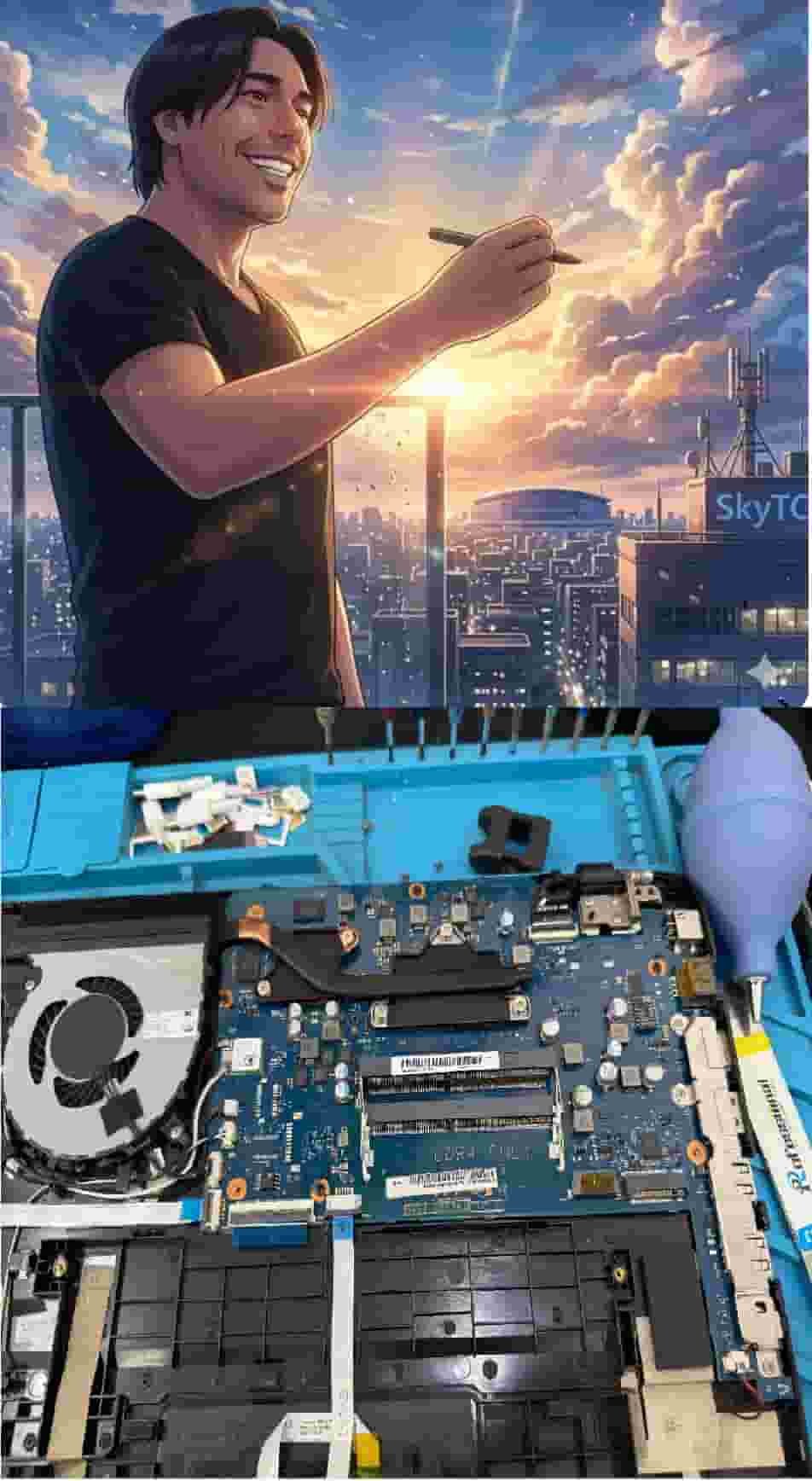
Technical Bio: Hardware & Laptops
“At SkyTC, technology is driven by engineering precision and real field experience. I am Valtersky, and I bring a unique background to the bench: from professional woodworking, the eye for structural integrity; from radiology, an absolute obsession with microscopic details.
As an ultra-endurance marathon runner, I don’t just browse store windows. I tear machines down, run intensive stress tests on thermal dissipation, and validate the actual build quality of every single component. My mission is to translate complex tech engineering and tech finances into smart decisions for your workflow.
Here, we speak straightforward, jargon-free English with the authority of someone who knows exactly what is inside the chassis.”

Why Laptop Overheating Accelerates Hardware Failure: The Microscopic Truth
You know the sensation all too well: your machine sounds like an F-18 spooling up on a carrier deck, your palms are sweating against a blistering aluminum chassis, and your render or frame rate stutters off a cliff. You drop serious money on a cutting-edge rig, only to feel like you are typing on an…
How to Extend Laptop Lifespan: Ultimate Care Guide for Pure Hardware Survival
You boot up your machine, and the fan immediately screams like an angry turbine while you do nothing more demanding than opening a spreadsheet. Your palms feel like they are resting on a griddle, the battery gauge drains right before your eyes, and you are gripped by the nauseating panic that this expensive machine is…