

Typing out ten thousand words on a machine with zero key travel feels like slamming your bare fingertips into a sheet of reinforced concrete for eight hours straight. Chasing down the top work laptops for writers comfort typing all day is not about fancy trackpad haptics or bezel-free display marketing; it is a straight-up fight to preserve the carpal tunnels in your wrists and keep your extensor tendons from turning into inflamed spaghetti.
Most tech blogs obsess over screen brightness and benchmark scores while completely ignoring the brutal ergonomic reality happening underneath your palms. When a laptop chassis flexes like a cheap trampoline or radiates sixty degrees of battery heat straight into your thenar muscles, your typing speed tanks and chronic joint pain sets in fast.
At our repair bench, we have a dedicated support team and a laptop hardware specialist who regularly crack open machines with obliterated switch domes and cracked solder joints caused entirely by aggressive bottoming out on paper-thin decks. You cannot write a masterpiece if every keystroke shoots an acoustic shockwave directly into your forearm bones.
Mastering this hardware selection gives you back hours of pain-free focus, eliminates chronic wrist fatigue, and saves you an absolute fortune in physical therapy bills and ruined logic boards over the next decade.
The Repair Shop Counter: The Intake Specification
Slide your chair up to the intake counter and listen to the lab macete before you burn serious cash on an aesthetic paperweight. If a laptop keyboard bottom-out feels mushy, lacks a dished keycap to cradle your fingertips, or registers less than 1.5 millimeters of physical scissor travel, walk away immediately. It is not built for long-form writing; it is built to look pretty in an airport lounge.
For marathon writing sprints, your daily driver must have spherically dished keycaps, a rigid magnesium or reinforced alloy backing plate, and a high-durometer silicone rubber dome that snaps back with authority without requiring heavy bottoming-out force.
Here is the intake verdict straight from the soldering bench: Enterprise-tier ThinkPads still dominate the tactile landscape with their signature curved caps and modular sub-assemblies. Premium corporate lines like the HP EliteBook and modular options like the Framework deliver exceptional keystroke resistance without structural bounce. Skip razor-thin consumer fashion slabs and flat “zero-lattice” layouts—they turn your typing into a typo-ridden carpal tunnel marathon.
Keyboard Architecture and Deck Flex Teardown
| Chassis & Switch Family | Travel Depth | Actuation Force | Keycap Dish Profile | Deck Rigidity Rating | Field Serviceability |
|---|---|---|---|---|---|
| Lenovo ThinkPad T14 / P14s (Magnesium Roll-Cage) | 1.5 mm – 1.8 mm | 62g Tactile Peak | Deep Spherical (0.25mm) | Near-Zero Deck Flex | High (Drop-In Modular Assembly) |
| HP EliteBook 840 Series (Stamped Aluminum Deck) | 1.5 mm | 60g Crisp Snap | Subtle Spherical (0.15mm) | High Structural Stability | Moderate (Chassis Retaining Screws) |
| Framework Laptop 13 (Modular Fastener Subframe) | 1.5 mm | 65g Positive Pop | Flat-to-Mild Contour | Moderate (Minimal Center Bounce) | Maximum (Fully User-Replaceable) |
| Apple MacBook Pro 14/16 (CNC Unibody Billet) | 1.0 mm | 55g Direct Bottom | Completely Flat | Zero Flex (Solid Aluminum) | Zero (Melted Plastic Rivets) |
| Dell XPS Zero-Lattice (Flat Consumer Deck) | 1.0 mm | 52g Light Switch | Zero Dish (Flush Blocks) | Moderate Mid-Deck Deflection | Zero (Integrated Top-Case Assembly) |
The Bare-Metal Trial: Pros, Cons, and Real-World Wear
Every single keyboard mechanism that crosses our microscope bench has a mechanical tradeoff. Let us break down how these popular typing platforms actually perform when subjected to continuous real-world punishment.
Enterprise Workstation Scissor (ThinkPad Architecture)
The Good: Spherically curved keycaps keep your fingers naturally centered on the switch stem, dramatically reducing off-axis typos. The actuation curve hits a tactile peak early, allowing touch typists to float across the keys without violently slamming the keycaps into the underlying metal frame.
The Bad: Modern trims have shaved down key travel compared to legendary vintage models, and the TrackPoint center cutout creates a localized structural vulnerability where spilled coffee easily bypasses the keyboard drainage channels to short out your 3.3V power rails.
Modular Fastener Subframe (Framework Platform)
The Good: You can replace the entire keyboard assembly in ten minutes with a single Torx screwdriver if you spill ink or wear out a scissor clip. The tactile response is crisp, highly energetic, and gives distinct confirmation on every strike.
The Bad: The aluminum top-plate flexes slightly under heavy thumb strikes on the Spacebar, and the keycaps lack the deep ergonomic finger cups found on dedicated enterprise workstations.
CNC Unibody Scissor (MacBook Pro Architecture)
The Good: The typing surface is anchored into a solid, milled block of metal, offering absolute zero deck deflection and rock-solid acoustic dampening that will not irritate people in quiet libraries.
The Bad: With only one millimeter of travel, your finger joints absorb pure deceleration shock on every bottom-out. Worse, the razor-sharp machined front aluminum edge acts like a dull knife against your median nerve, cutting off blood flow during long sessions.
Scratch Risk: Chassis and Hinge Durability
High-end anodized finishes and matte magnesium coatings promise sleek, professional aesthetics that look stunning right out of the retail packaging. But the moment you toss that machine into a backpack alongside charging bricks and daily gear, marketing claims melt away under harsh reality.
Manufacturers apply microscopic surface coatings over cast zinc alloys to simulate a premium tactile feel. Take those materials into daily transit, and the natural oils from your palms combined with metal watch bands quickly wear the paint down to bare, shiny grey metal within six months of continuous use.
Drop-forged display hinges are frequently advertised as holding screen angles rock-steady through thousands of adjustments. Yet inside the casing, those stiff steel hinges are anchored into paper-thin brass threaded inserts heat-staked into cheap polycarbonate frames.
Over time, the hinge grease dries out, turning the assembly into a stiff pry bar. Every time you open the screen with one hand, that torsional force slowly rips the brass standoffs clean out of the top case, twisting the keyboard deck until the internal membrane traces snap.
Hypothetical Failure Scenario: The Couch-Typing Deck Deflection
Picture this classic freelance nightmare: You are deep in the writing zone on a looming deadline, lounging on a soft couch with your laptop resting unevenly across your crossed legs. Your palms rest heavily on the front corners of an ultra-thin, budget-friendly consumer chassis.
Because the machine lacks an internal magnesium roll-cage, that uneven support twists the structural base like a pretzel. Every aggressive keystroke pushes the thin aluminum-stamped keyboard backing plate downward into the internal cavity.
Directly beneath that flexing home row sits the system logic board, separated from the keyboard tray by only a hair-thin layer of mylar insulation tape. As the center deck bows downward with every sentence, the metal backing plate repeatedly taps and grinds against the tall ceramic bypass capacitors on the main power rail.
Eventually, the mechanical fatigue wears through the insulating tape and cracks the lead-free solder balls anchoring the main power management chip. You hit one final triumphant keystroke, the screen goes completely dark, the charging LED flashes an error code, and your entire unpublished draft is trapped on a dead, shorted motherboard.
Why the Top Work Laptops for Writers Comfort Typing All Day Protect Your Skeleton and Logic Board
A keyboard is not merely an input peripheral; it is a structural shock absorber. When you write on machines featuring proper switch stroke depth, the high-durometer silicone dome absorbs kinetic energy gradually before your finger bottoms out against the stop plate.
Laptops engineered with rigid subplates prevent that downward typing force from translating into motherboard torsional stress. By keeping the chassis stiff and providing tactile resistance that stops you from smashing the keys, you save your finger joints from micro-trauma while keeping the delicate surface-mount chips beneath the deck safe from trace-shearing deflection.
Guides for Your Next Workspace
Practical laptop guides covering performance, hardware, troubleshooting, care, and everyday productivity.
Professional Laptops
The definitive blueprint to selecting high-performance, enterprise-grade workstations engineered to scale your productivity.
Budget Tech Tools
Practical strategies and low-cost digital tools engineered to maximize office performance without breaking your budget.
Power User Gadgets
Advanced hardware, desk automation tools, and elite tech ecosystems built to eliminate workflow bottlenecks.
Diagnose Laptop Hardware Faults
The official bench guide for identifying, testing, and diagnosing common laptop hardware faults with practical troubleshooting methods.
Maximize Laptop Performance
An ultimate tuning guide for improving laptop speed, efficiency, responsiveness, and overall performance.
Extend Laptop Lifespan
The ultimate care guide for protecting laptop hardware, preventing premature wear, and extending device longevity.
The Assembly Line: High-Yield Deployment Checklist
- Audit top work laptops for writers comfort typing all day.
Expert Tip: Measure physical key travel with a dial caliper to ensure it hits at least 1.5mm before approving a purchase for heavy manuscript production. - Prioritize spherically dished keycaps over flat chiclet profiles.
Expert Tip: Dished surfaces provide passive tactile centering, which eliminates the muscular micro-adjustments that cause forearm tendon fatigue. - Check mid-deck rigidity by applying firm center thumb pressure.
Expert Tip: Any visible downward bounce indicates a missing structural backplate, which will transmit harmful impact vibrations into your finger joints. - Inspect the front chassis edge profile for wrist clearance.
Expert Tip: Sharp, ninety-degree machined aluminum front edges compress the carpal tunnel; choose machines with rounded, chamfered, or downward-sloping edges. - Clean sub-switch scissor mechanisms using dry compressed nitrogen.
Expert Tip: Avoid liquid cleaners on membrane assemblies, as capillary action draws moisture into the flexible trace layers, causing phantom key repeats. - Verify palm-rest surface temperatures under continuous processing loads.
Expert Tip: Machines with poor thermal isolation vent motherboard heat straight into the palm rests, inflaming the nerves in the base of your hands. - Opt for screw-secured keyboard trays rather than melted plastic rivets.
Expert Tip: Riveted decks force you to buy a complete, high-tier top-case replacement just to resolve a single broken scissor pivot clip. - Calibrate software key repeat delays inside the operating system.
Expert Tip: Adjusting your actuation sensitivity prevents accidental double-letter registrations caused by resting tired fingers on the home row. - Deploy a low-profile external wrist wedge on knife-edge decks.
Expert Tip: Elevating the heel of your palm prevents your wrists from angling backward into extreme extension while typing for extended hours. - Inspect display hinge torque resistance every six months.
Expert Tip: Stiffening hinges exert uneven torsional leverage across the keyboard base, causing internal micro-cracks in multi-layer circuit boards. - Select matte keycap textures to prevent fingertip slipping.
Expert Tip: Smooth, glossy key surfaces require extra grip tension from your hand muscles, accelerating muscular fatigue during marathon typing sprints.
Forensic Breakdown: Microscopic Hardware Answers
Why does deep key travel matter so much for all-day typing?
Shallow travel forces your finger bones to come to an abrupt dead stop against solid chassis metal. Deep travel gives the silicone dome enough room to decelerate your stroke smoothly, dissipating kinetic energy before it travels into your tendons.
Can aggressive typing actually flex and break a laptop motherboard?
Yes. If the laptop lacks an internal metal roll-cage, hammering the center keys bows the thin deck downward. That continuous flexing bends the underlying motherboard, cracking brittle lead-free solder balls underneath fragile microchips.
Are flat chiclet keys worse for typing accuracy than dished keys?
Substantially worse. Spherically dished keycaps have a subtle bowl shape that guides your fingertip directly to the switch center. Flat keys give your nerve endings zero spatial feedback, resulting in frequent off-center strikes and typos.
Why do my hands feel exhausted after typing on an ultra-thin laptop?
Because you are constantly bottoming out on rigid metal. Your hands are actively fighting the chassis to maintain stability, absorbing thousands of tiny kinetic impacts every hour that inflame the flexor tendons running through your wrists.
Is it possible to replace a single broken key switch on modern laptops?
Rarely. Most modern machines use delicate plastic scissor clips that snap if removed incorrectly. Worse, many brands melt the entire keyboard tray into the palm rest using plastic rivets, requiring an entire chassis replacement for one dead key.
How does palm-rest heat affect long-term typing comfort?
Hot palm rests elevate the skin temperature of your hands, increasing localized perspiration and causing blood vessels to dilate. That continuous heat exposure accelerates joint fatigue and can aggravate carpal tunnel inflammation significantly.
Why do older business-class laptops have better keyboards than modern flagships?
Because older designs prioritized mechanical compliance and human anatomy over razor-thin chassis profiles. Modern machines sacrifice key depth, dished surfaces, and modular structural screws simply to shave millimeters off an advertising spec sheet.
Do silicone keyboard covers protect switches from wearing out?
No, they ruin the typing experience. Silicone covers add massive mushy resistance to your key switches, forcing you to strike the keys much harder while trapping hot air that would otherwise exhaust through the keyboard deck.
Why Trust SKYTC Curated Gear?
At SKYTC, we simplify technology for you. We aren’t just another deals site; we are hardware experts obsessively focused on elite performance.
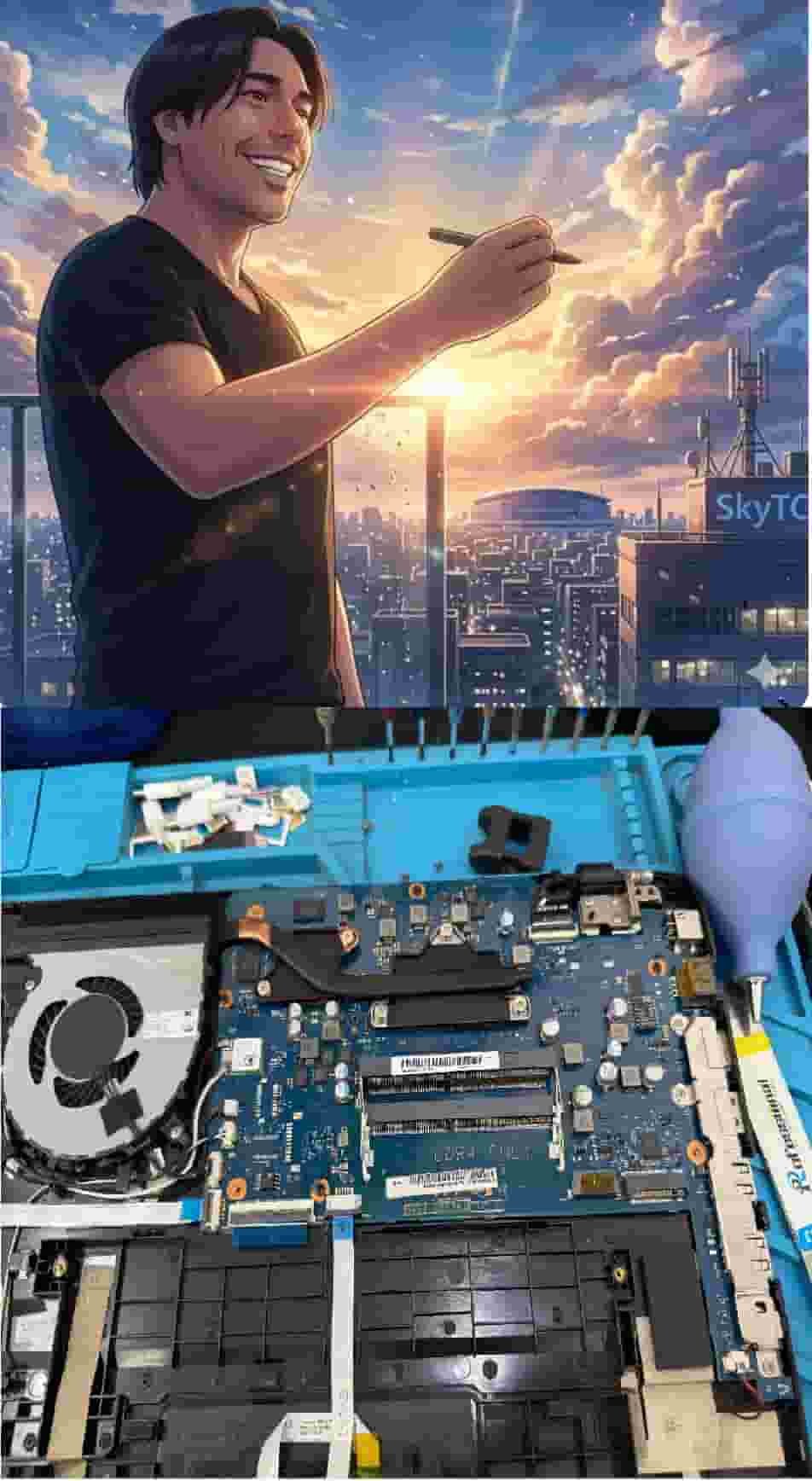
Technical Bio: Hardware & Laptops
“At SkyTC, technology is driven by engineering precision and real field experience. I am Valtersky, and I bring a unique background to the bench: from professional woodworking, the eye for structural integrity; from radiology, an absolute obsession with microscopic details.
As an ultra-endurance marathon runner, I don’t just browse store windows. I tear machines down, run intensive stress tests on thermal dissipation, and validate the actual build quality of every single component. My mission is to translate complex tech engineering and tech finances into smart decisions for your workflow.
Here, we speak straightforward, jargon-free English with the authority of someone who knows exactly what is inside the chassis.”
Read also: Best Ergonomic Keyboards on Professional Laptops: The Hardware Architect’s Teardown
Warning from the bench: Forcing a stiff, unaligned display hinge open twists the structural palm rest, shearing microscopic eDP video cables and cracking lead-free BGA solder spheres on the motherboard below.